-
Shop
- Advanced Technologies
- AI Skills for Creators & Freelancers
- AI Client Management
- AI Ethics
- AI Mindset
- AI Tools & Prompts
- AI Writing & Content Creation
- Audio, Voice & Music
- Design & Visual Creation
- Email, Messaging & Communication
- Freelancing & Business
- Marketing, Ads & Conversion
- Productivity, Workflow & Automation
- SEO & Search Optimization
- Social Media Content & Growth
- Strategy, Planning & Analytics
- Video Creation & Editing
- AI Skills Mastery 2026 Collection
- Bathroom
- Best-Sellers
- Car Accessories
- Confidence
- Dating & Social Skills
- Digital Resources
- Easter Products
- Education & Learning
- Family & Parenting
- Fashion
- Fashion Accessories
- Furniture
- Gadgets
- Health & Beauty
- Health & Wellness
- Home & Garden
- Home Electronics
- Home Supplies
- Jewelry
- Kids & Babies
- Kitchen
- Lighting
- Patio, Lawn & Garden
- Personal Growth
- Pet Care
- Pet Supplies
- Pets
- Shoes
- Smart Home Living Guides
- Sport & Outdoors
- Stress Relief & Relaxation
- Super Deals
- TikTok Growth & Monetization Mastery
- Travel
- Travel & Adventure
- Wealth
- Wellness
Wireless Mechanical Keyboards: Bluetooth vs 2.4GHz Guide
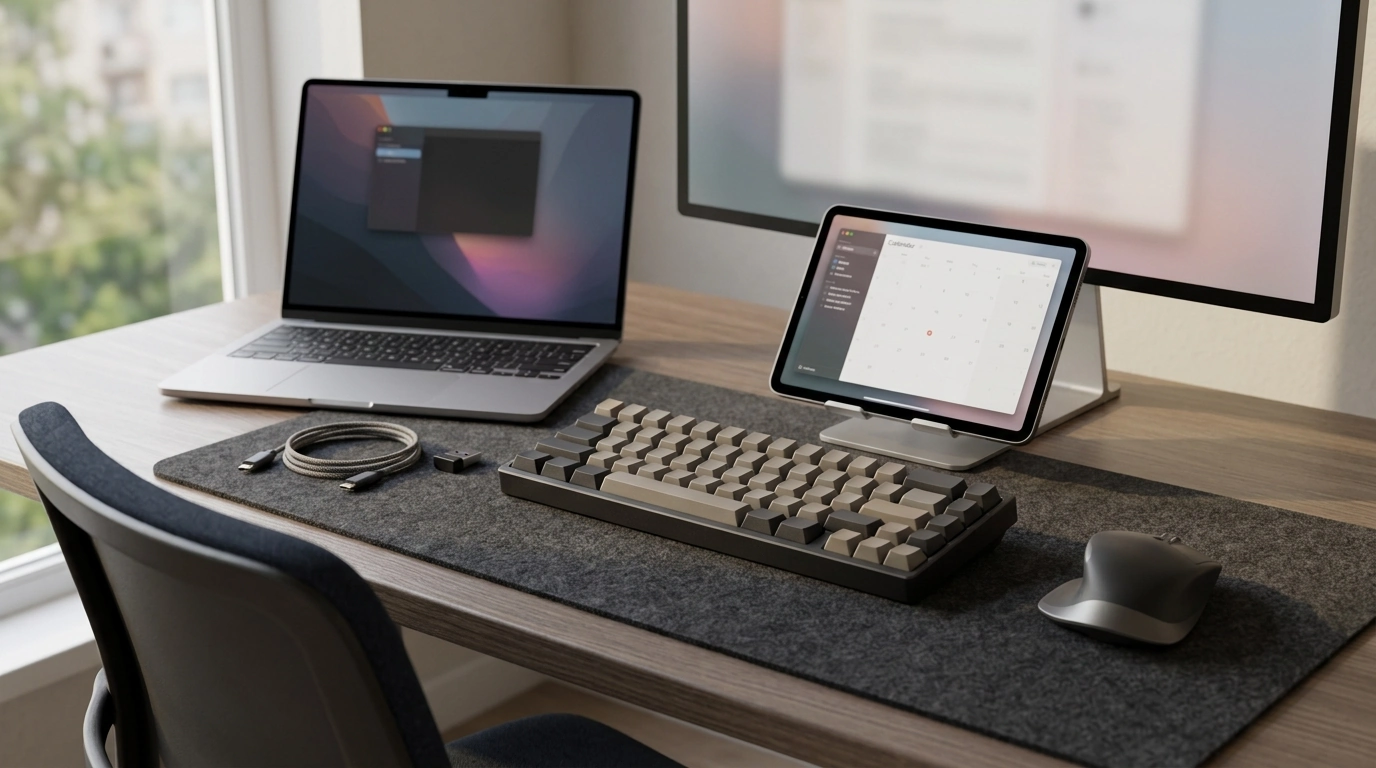
Wireless Mechanical Keyboard: Comfort, Speed, and a Cleaner Desk
A wireless mechanical keyboard delivers the crisp, responsive feel of mechanical switches while reducing cable clutter on your desk. The best choice comes down to how you connect (Bluetooth vs. 2.4 GHz vs. wired backup), what switch feel fits your space, which layout matches your workflow, and how you want battery life to behave day to day—especially if you bounce between a work laptop, a home PC, and a tablet.
What Makes a Wireless Mechanical Keyboard Different
Mechanical switches are designed for consistent actuation and clear feedback, which can feel more precise than many membrane keyboards. Going wireless adds a new layer of convenience—cleaner routing on a desktop setup, easier pairing with laptops, and a smoother multi-device routine—without giving up that signature mechanical feel.
- Mechanical switches provide consistent actuation and clearer feedback than many membrane boards.
- Wireless connectivity adds flexibility for desk setup, laptops, and multi-device workflows.
- Key considerations expand beyond feel and sound to include latency, interference, and power management.
- Build features to prioritize include a solid frame, stable keycaps, and minimal flex during typing.
Connection Options: Bluetooth, 2.4 GHz, and Wired Backup
The “best” connection mode depends on where the keyboard spends most of its time. Bluetooth shines for travel and multi-device productivity, while a 2.4 GHz dongle is often the go-to choice for gaming and consistent desktop performance. If the keyboard supports wired mode, that becomes the dependable fallback for charging, firmware updates, or busy RF environments.
Quick guide to connection modes
| Mode | Best for | Trade-offs | Checklist |
|---|---|---|---|
| Bluetooth | Multi-device work, travel, tablets | Potentially higher latency; crowded 2.4 GHz environments can affect stability | BT version support, easy switching, sleep behavior |
| 2.4 GHz dongle | Gaming, stable desktop performance | Requires a USB port; dongle can be misplaced | Receiver storage, range, wake speed |
| Wired USB | Charging, zero-interference reliability | Cable management | Detachable cable, cable length, pass-through not required |
For deeper details on Bluetooth versions and capabilities, reference the Bluetooth Core Specification.
Switch Feel and Sound: Choosing What Fits the Room
Switch type affects both performance and the people around you. If the keyboard will be used in shared spaces, it’s worth prioritizing quieter options—especially for long meetings, late-night sessions, or open offices.
- Linear switches: Smooth keystrokes and typically quieter-leaning; popular for fast gaming and low-resistance typing.
- Tactile switches: A noticeable bump improves accuracy without the sharp “click” sound.
- Clicky switches: Crisp, audible feedback; best when noise isn’t a concern.
- Noise control: Consider O-rings, a desk mat, thicker keycaps, or factory lubrication (if offered) to reduce ping and bottom-out noise.
Layout and Size: Full-Size, TKL, 75%, 65%, and Compact
Keyboard size changes everything from posture to how much room your mouse hand gets. The right layout is usually the one that reduces reaching and keeps frequently used keys accessible.
- Full-size: Includes a numpad; great for spreadsheets and data entry, but it takes the most desk space.
- TKL (tenkeyless): Removes the numpad to free mouse space while keeping the function row.
- 75%/65%: Compact layouts that preserve many essentials; a strong balance for mixed work and gaming.
- Ergonomics: Look for adjustable feet, a comfortable front height, and wrist support if you type for hours.
For practical workstation posture guidance, OSHA’s workstation resources are a useful baseline: Computer Workstations eTool.
Battery, Charging, and Daily Convenience
Battery life varies widely based on lighting and how aggressively the keyboard sleeps when idle. A keyboard that lasts “forever” on paper can still feel annoying if it wakes slowly, drops connection, or needs an awkward cable route to charge.
- Battery runtime depends heavily on backlighting, wireless mode, and sleep settings.
- USB-C charging is common; confirm port placement and cable routing work for your desk.
- Fast sleep/wake behavior prevents missed keystrokes after idle periods.
- If lighting matters, look for easy brightness control and a quick way to toggle it off to extend runtime.
Multi-Device Switching and Compatibility
If the keyboard will be shared across devices, multi-pairing is a major quality-of-life upgrade. Switching should be simple enough to do without looking—especially if you move between a work laptop and a personal computer throughout the day.
Performance for Gaming: Latency, Rollover, and Stability
Care, Cleaning, and Longevity
A Solid Option to Consider
If the goal is mechanical feel without a permanent cable, the Wireless Mechanical Keyboard is a straightforward fit for cleaner setups and flexible switching. Before checkout, confirm the layout size you want, whether Bluetooth or a 2.4 GHz dongle best matches your primary device, and how important lighting is to your daily use.
More in-stock picks for daily routines
- Universal Car Steering Wheel Phone Mount for Safe Navigation for commutes when you want navigation at a glance.
- Armani Exchange Men’s Sneakers as a clean, everyday option for office-to-weekend wear.
FAQ
Is Bluetooth good enough for gaming on a wireless mechanical keyboard?
Bluetooth can be fine for casual gaming, but a 2.4 GHz dongle connection is typically more consistent for low latency and stability. If interference becomes a problem, wired mode (when available) is the most reliable fallback.
How long does a wireless mechanical keyboard battery last?
Battery life varies widely based on backlighting, wireless mode, and sleep settings. Turning lighting down or off and enabling auto-sleep usually makes a noticeable difference in time between charges.
What’s the best switch type for office use?
Tactile switches or quieter linear switches are common office-friendly choices because they balance feedback with lower noise. Clicky switches are best reserved for private spaces where sound won’t disrupt others.
Recommended for you
Was this article helpful?
Yes
No









Leave a comment