-
Shop
- Advanced Technologies
- AI Skills for Creators & Freelancers
- AI Client Management
- AI Ethics
- AI Mindset
- AI Tools & Prompts
- AI Writing & Content Creation
- Audio, Voice & Music
- Design & Visual Creation
- Email, Messaging & Communication
- Freelancing & Business
- Marketing, Ads & Conversion
- Productivity, Workflow & Automation
- SEO & Search Optimization
- Social Media Content & Growth
- Strategy, Planning & Analytics
- Video Creation & Editing
- AI Skills Mastery 2026 Collection
- Bathroom
- Best-Sellers
- Car Accessories
- Confidence
- Dating & Social Skills
- Digital Resources
- Easter Products
- Education & Learning
- Family & Parenting
- Fashion
- Fashion Accessories
- Furniture
- Gadgets
- Health & Beauty
- Health & Wellness
- Home & Garden
- Home Electronics
- Home Supplies
- Jewelry
- Kids & Babies
- Kitchen
- Lighting
- Patio, Lawn & Garden
- Personal Growth
- Pet Care
- Pet Supplies
- Pets
- Shoes
- Smart Home Living Guides
- Sport & Outdoors
- Stress Relief & Relaxation
- Super Deals
- TikTok Growth & Monetization Mastery
- Travel
- Travel & Adventure
- Wealth
- Wellness
Pink Cherry Profile Gradient Keycaps (150): Fit & Feel
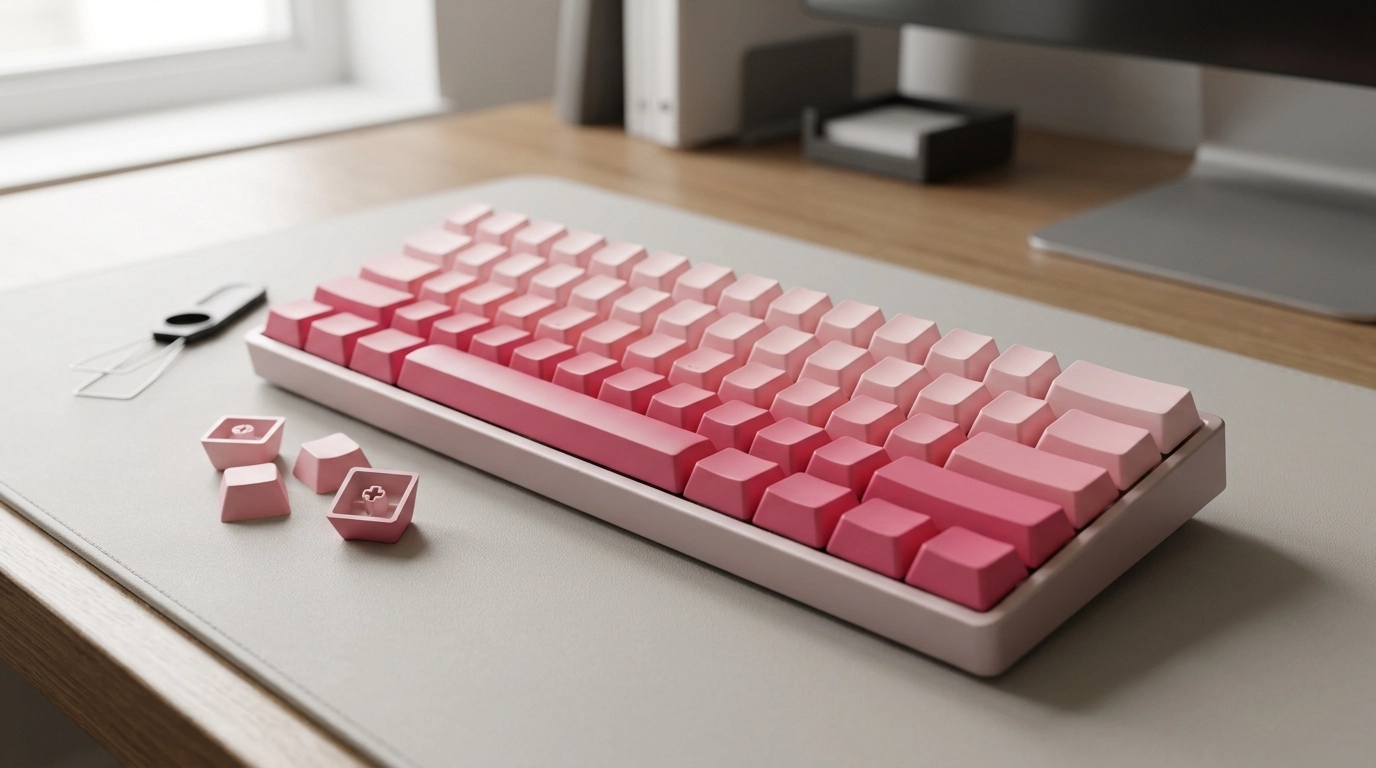
Cherry Profile Pink Gradient PBT+PC Keycap Set (150 Keys): Fit, Feel, and Compatibility
A Cherry profile keycap set can change both the look and the typing feel of a mechanical keyboard. This pink gradient set combines PBT and PC materials across 150 keys, aiming for a balanced sound, durable legends, and wide layout coverage for common ANSI boards and many compact builds. The sections below cover what the profile and materials mean in daily use, what to check before buying, and how to get the best fit on typical MX-style switches. For more guidance, see 160 Keys Custom Keycap, Gradient Black and Red Crystal ….
What’s Included and Who It’s For
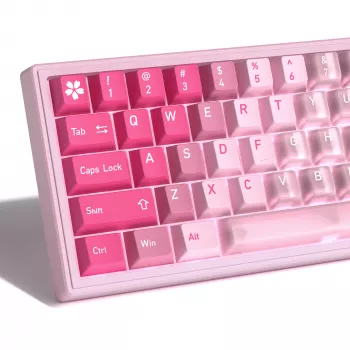
With 150 keys, this set is designed for broader coverage than typical 104/108-key kits, making it easier to outfit popular compact layouts without mixing mismatched spares. The smooth pink gradient is meant to transition across the board for a cohesive, “finished” look—especially on 60%, 65%, 75%, and TKL builds where the color flow is more noticeable.
- 150-key coverage intended to support a range of layouts beyond standard sets, including many 60/65/75/TKL variations
- Cherry profile sculpting: lower height than OEM with a familiar row-by-row shape for typing and gaming
- Pink gradient aesthetic designed to transition smoothly across the board
- Best suited for MX-style mechanical keyboards (and compatible clones) that accept standard cross stems
If you want a direct match, shop the product here: Cherry Profile Pink Gradient PBT+PC Keycap Set for Mechanical Keyboards – 150 Keys.
Cherry Profile Feel: Height, Comfort, and Key Travel
Cherry profile is known for being lower than OEM while keeping a sculpted, row-specific shape. The result is a typing posture that can feel a bit “tighter” and more controlled—especially on the top row—because your fingers don’t have to lift as high between presses. For many setups, that translates into faster transitions and less finger stretch over long sessions.
Cherry’s sculpted rows also support touch-typing: each row has a distinct angle, helping fingers orient without constantly checking the board. That said, Cherry profile can reveal an issue some boards run into: interference on certain north-facing LED switch orientations, where the keycap’s underside can rub on the switch housing. It’s not universal, but it’s worth checking before swapping a full set.
| Aspect | What to Expect | Why It Matters |
|---|---|---|
| Height | Lower than OEM | Less finger lift; potentially faster transitions between keys |
| Sculpt | Row-specific shaping | Improves orientation without looking down |
| Sound tendency | Often slightly deeper than thin ABS caps | Changes perceived switch sound and overall “thock/clack” balance |
| Lighting fit | May conflict with some north-facing setups | Avoids surprise rubbing on certain boards/switches |
For a quick reference on profiles and how Cherry compares to others, see keycaps.info and the Deskthority keycap overview.
PBT + PC Material Mix: Texture, Durability, and Sound
PBT is popular for its resistance to shine, which helps keycaps keep their original texture longer than many ABS sets. That matters most on frequently used keys (WASD, spacebar, home row), where finger oils and friction can turn some plastics glossy over time. PC (polycarbonate) is often smoother and can subtly shift acoustics depending on thickness and construction, sometimes adding a slightly cleaner, brighter note compared to all-PBT sets.
Because this kit blends materials, pay attention to consistency: a well-made mixed-material set should still feel uniform across the board. If a few keys feel different, it’s usually more noticeable on the home row, where fingers rest the longest. For long-term satisfaction, the most important details are secure stems (a firm fit on the switch) and stable large keys—spacebar, Enter, and Shift—supported by properly tuned stabilizers.
Compatibility Checklist Before Buying
Most “does it fit?” problems come down to switches, layout, and stabilizer standards—not the keycap profile itself. Before ordering, confirm the points below so the set installs cleanly and the gradient stays visually balanced.
Quick Fit Check (Measure Before Swapping)
| Keyboard Detail | What to Check | How to Verify |
|---|---|---|
| Layout | ANSI vs ISO | Look at Enter key shape and left Shift length |
| Spacebar | 6.25u or 7u | Measure units by comparing to letter keys (1u) |
| Bottom row | Modifier widths | Remove a few modifiers and compare sizes side-by-side |
| Switch orientation | North-facing LEDs | Check whether the LED window is at the top of the switch housing |
| Stabilizers | Cherry-style vs others | Inspect stabilizer stems under Space/Enter/Shift |
Setup Tips: Getting a Clean Look and Solid Sound
Care and Maintenance
Available Now (In Stock)
- Cherry Profile Pink Gradient PBT+PC Keycap Set for Mechanical Keyboards – 150 Keys ($42.51)
- Universal Car Steering Wheel Phone Mount for Safe Navigation ($1.80)
- Triple-Sided Ultra-Fine Soft Bristle Toothbrush for Enhanced Oral Health ($1.52)
FAQ
Will this keycap set fit MX-style switches?
It should fit keyboards that use MX-style cross stems (including many compatible clones). It may not fit low-profile mechanical switches or boards that use proprietary stems.
Is cherry profile comfortable for long typing sessions?
Cherry profile is lower than OEM and sculpted by row, which many typists find comfortable and stable for extended use. Comfort still depends on desk height, wrist angle, and personal preference.
How can interference with north-facing LEDs be avoided?
Confirm your switch orientation and check whether your board is known to have Cherry-profile interference with your switch model. Using a south-facing PCB or switching to combinations known to clear the housing typically prevents rubbing.
Recommended for you

Was this article helpful?
Yes
No









Leave a comment