-
Shop
- Advanced Technologies
- AI Skills for Creators & Freelancers
- AI Client Management
- AI Ethics
- AI Mindset
- AI Tools & Prompts
- AI Writing & Content Creation
- Audio, Voice & Music
- Design & Visual Creation
- Email, Messaging & Communication
- Freelancing & Business
- Marketing, Ads & Conversion
- Productivity, Workflow & Automation
- SEO & Search Optimization
- Social Media Content & Growth
- Strategy, Planning & Analytics
- Video Creation & Editing
- AI Skills Mastery 2026 Collection
- Bathroom
- Best-Sellers
- Car Accessories
- Confidence
- Dating & Social Skills
- Digital Resources
- Easter Products
- Education & Learning
- Family & Parenting
- Fashion
- Fashion Accessories
- Furniture
- Gadgets
- Health & Beauty
- Health & Wellness
- Home & Garden
- Home Electronics
- Home Supplies
- Jewelry
- Kids & Babies
- Kitchen
- Lighting
- Patio, Lawn & Garden
- Personal Growth
- Pet Care
- Pet Supplies
- Pets
- Shoes
- Smart Home Living Guides
- Sport & Outdoors
- Stress Relief & Relaxation
- Super Deals
- TikTok Growth & Monetization Mastery
- Travel
- Travel & Adventure
- Wealth
- Wellness
Multipurpose Room Layout Checklist: Zones, Flow & Flex
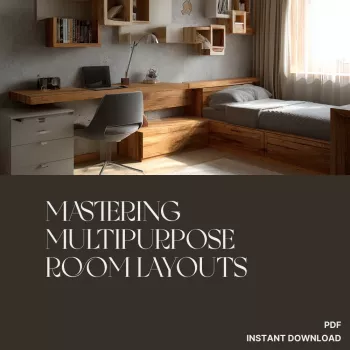
Mastering Multipurpose Room Layouts: A Printable Checklist for Flexible, Functional Spaces
Multipurpose rooms feel effortless when every activity has a clear “home,” the main traffic path stays open, and switching from one mode to another takes minutes—not a full re-clean. The most reliable way to get there is to plan in the same order every time: define functions, measure real constraints, create zones, choose adaptable furniture, then confirm spacing, lighting, and storage before you commit.
If you want a faster, repeatable way to double-check your setup, the Mastering Multipurpose Room Layouts – Printable Checklist (Digital Download) is designed to walk through these decisions step by step—especially helpful for small homes, rentals, and shared spaces that must shift between work, rest, and play.
Start with a clear list of functions (and how often they happen)
A multipurpose room becomes livable when you stop treating it like “one big space” and instead treat it like a schedule. Start by listing the top 2–4 uses (for example: work + guests + workouts), then rank them by frequency and time of day.
- Note non-negotiables for each use: screen glare control for work, open floor area for exercise, true sleeping comfort for guests.
- Decide which function is “default mode” (how the room looks most of the time) and which ones are “flip modes.”
- Capture storage needs per function: cables and paperwork, linens and pillows, hobby supplies, sports gear.
This small step prevents the most common layout mistake: designing around the rarest event (like hosting guests) and making daily life harder than it needs to be.
Measure the room and mark real-world constraints
Before moving furniture, measure what you can’t change. Record wall-to-wall dimensions and—if it affects storage or wall mounting—ceiling height. Then mark the fixed points that layouts often ignore until it’s too late.
- Locate outlets, HVAC vents, light switches, and any internet/TV hookups.
- Mark doors and their swing arcs, plus windows and radiator/baseboard zones that shouldn’t be blocked.
- Identify a primary walkway (typically door-to-door) and keep it consistently open.
- Photograph the room from each corner; photos reveal pinch points and “dead zones” your eyes skip over in person.
For circulation targets and accessible routes, the ADA Accessibility Guidelines (2010) are a useful reference point even for non-accessible homes, because they emphasize clear floor space and predictable paths.
Zone the room so each activity has a defined footprint
Zoning is what makes a room feel intentional instead of temporary. Give each function a boundary—even a “soft” one—so your brain reads the space as organized.
- Assign each function a zone edge: rug border, bookshelf line, curtain track, or a slim console behind a sofa.
- Keep the loudest/most active zone farthest from the most focused/quiet zone.
- Use separators that don’t eat square footage: lighting changes, open shelving, or a low storage run.
- Plan “parking” for items when the room flips modes (folding chair storage spot, rolling cart home, ottoman contents).
Quick zoning map: common multipurpose combinations
| Room combination | Best zone separator | Key spacing to protect | Fast switch tip |
|---|---|---|---|
| Office + guest room | Curtain track or tall open shelf | 30–36 in walkway to bed/sofa bed | Keep guest linens in a lidded bench or under-bed bins |
| Living + dining | Area rug edge + pendant over table | 36 in behind chairs for pull-out space | Choose stackable dining chairs or a bench |
| Playroom + living | Low storage + rug boundary | Clear sightlines to seating | Use labeled bins that slide into a closed cabinet |
| Home gym + media | Foldable screen or mirrored wall zone | A clear mat area (at least 6×8 ft as needed) | Store equipment on a rolling rack that parks in a closet |
Choose flexible furniture that does more than one job
In a room that has to transform, furniture should pull double duty. Prioritize pieces that change form or store what you’d otherwise leave out.
When you’re testing arrangements and taking measurements, it can help to keep your phone accessible (for photos, notes, and level/measure apps). A simple accessory like the Universal Car Steering Wheel Phone Mount for Safe Navigation can also be repurposed temporarily during move day or closet clean-outs to keep a device visible and hands-free while you work through a plan.
Protect circulation and comfort with simple spacing rules
Lighting, storage, and surfaces that support every mode
For practical, energy-conscious bulb choices and fixture tips, ENERGY STAR’s lighting guidance is a solid baseline for selecting efficient lighting that still feels comfortable.
Also prioritize stability—especially with tall shelving used as zoning. The U.S. Consumer Product Safety Commission’s tip-over prevention guidance is a helpful reminder to anchor heavy pieces and keep weight low.
Printable checklist: final layout walkthrough before committing
To make this repeatable (and easier to hand off to a partner or roommate), keep a dedicated copy of the Mastering Multipurpose Room Layouts – Printable Checklist for How to Layout Multipurpose Rooms | Digital Download Guide for Flexible, Functional Spaces with your room measurements, your “default mode” snapshot, and a short list of what gets moved during each flip.
Digital download guide to make planning faster and easier
FAQ
How many functions can one room realistically handle?
Most rooms can comfortably support 2–3 primary functions. You can add more if at least one is a true “stow-away” mode with dedicated storage and a quick setup routine you’ll actually follow.
What’s the easiest way to create zones without building walls?
Use rugs, lighting changes, open shelving, curtains, and furniture placement (like a sofa back with a slim console) to create boundaries while keeping light and circulation open.
How do you keep a multipurpose room from looking cluttered?
Rely on closed storage, a small reset station near the entry, labeled bins, and vertical storage to keep the floor clear. Keeping surfaces intentionally sparse—and doing a quick daily reset—makes the biggest difference.
Recommended for you

Was this article helpful?
Yes
No









Leave a comment