-
Shop
- Advanced Technologies
- AI Skills for Creators & Freelancers
- AI Client Management
- AI Ethics
- AI Mindset
- AI Tools & Prompts
- AI Writing & Content Creation
- Audio, Voice & Music
- Design & Visual Creation
- Email, Messaging & Communication
- Freelancing & Business
- Marketing, Ads & Conversion
- Productivity, Workflow & Automation
- SEO & Search Optimization
- Social Media Content & Growth
- Strategy, Planning & Analytics
- Video Creation & Editing
- AI Skills Mastery 2026 Collection
- Bathroom
- Best-Sellers
- Car Accessories
- Confidence
- Dating & Social Skills
- Digital Resources
- Easter Products
- Education & Learning
- Family & Parenting
- Fashion
- Fashion Accessories
- Furniture
- Gadgets
- Health & Beauty
- Health & Wellness
- Home & Garden
- Home Electronics
- Home Supplies
- Jewelry
- Kids & Babies
- Kitchen
- Lighting
- Patio, Lawn & Garden
- Personal Growth
- Pet Care
- Pet Supplies
- Pets
- Shoes
- Smart Home Living Guides
- Sport & Outdoors
- Stress Relief & Relaxation
- Super Deals
- TikTok Growth & Monetization Mastery
- Travel
- Travel & Adventure
- Wealth
- Wellness
AI-Powered Email Greetings for Clients and Teams
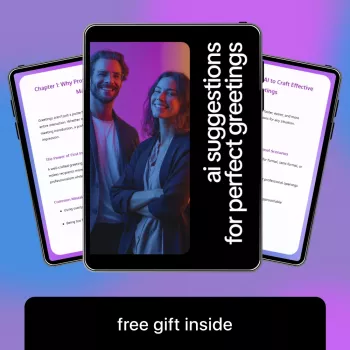
AI Suggestions for Perfect Greetings: A Professional Communication Guide for Emails, Clients, and Teams
A strong greeting sets tone, clarity, and rapport before the first sentence lands. With AI-generated suggestions, greetings can be tailored to the relationship, channel, time zone, and urgency—without sounding stiff or overly casual. This guide breaks down how to choose the right opening for clients and internal teams, what to avoid, and how to adapt wording across common workplace scenarios.
What a Great Professional Greeting Accomplishes
A greeting does more than “start the email.” It tells the reader how to interpret what comes next.
- Signals respect and professionalism while matching the relationship (new contact vs. long-term partner).
- Reduces ambiguity by setting the interaction’s tone (collaborative, urgent, appreciative, neutral).
- Builds trust through consistency: similar level of formality across threads, teams, and client accounts.
- Prevents friction from missteps like overfamiliarity, incorrect names/titles, or culturally awkward phrasing.
- Makes the message easier to scan: greeting + context line helps recipients orient quickly.
For practical norms on workplace email etiquette, resources like Purdue OWL and voice-and-tone principles in the Microsoft Style Guide reinforce the same core idea: clarity and respect beat cleverness.
Key Inputs AI Uses to Suggest the Right Greeting
AI greeting suggestions improve when you provide the context a human would naturally infer. The most useful inputs tend to be:
- Relationship: prospect, existing client, vendor, colleague, manager, cross-functional partner.
- Formality level: conservative, standard business, friendly professional.
- Channel and cadence: first email vs. ongoing thread, Slack/Teams vs. email, meeting invite vs. follow-up.
- Recipient details: name spelling, pronouns when known, title, seniority, and group size (one person vs. team).
- Context signals: time sensitivity, positive/negative news, request vs. update vs. apology.
If you want a ready-to-use library of options you can quickly edit into your own voice, AI Suggestions for Perfect Greetings | Professional Communication Guide | AI Suggestions for Professional Greetings for Emails, Clients & Teams is designed to help you choose an opener that fits the moment and still reads like you wrote it.
Greeting Templates for Common Email Situations
These patterns help you stay consistent without sounding scripted. When you use AI to generate options, pick one, then tighten it—most greetings are strongest when they’re short.
Scenario-based greeting examples
| Situation | More formal | Friendly professional | Notes |
|---|---|---|---|
| First email to a new client contact | Hello Ms. Rivera, | Hi Daniela, | Use title unless invited to use first name; match their signature. |
| Following up after no reply | Hello Mr. Chen, | Hi Alex, | Add a brief courtesy line before the ask; keep it short. |
| After a meeting | Good afternoon Dr. Patel, | Hi Sam, | Reference the meeting once; avoid excessive praise. |
| Requesting a quick action | Hello Team, | Hi everyone, | For groups, choose one collective greeting; avoid pinging individuals in the greeting. |
| Apology for delay | Hello Jordan, | Hi Jordan, | Keep greeting neutral; move immediately to the apology and next steps. |
Helpful rule: if the message includes bad news, a correction, or an apology, avoid “sunny” openers that can make the reader feel like you’re not taking the issue seriously.
Greetings for Internal Teams (Slack, Teams, and Email)
- Prefer short openers for fast channels: “Hi team,” “Morning all,” or (when truly appropriate) “Quick question—”.
- Use names when assigning responsibility: greet the group, then call out the owner in the next line (e.g., “Hi team—Jordan, can you confirm…”).
- Be mindful of time zones: if the group is global, “Hi” or “Hello” is safer than “Good morning.”
- For leadership updates: slightly more formal greeting plus an immediate summary line respects attention.
- For sensitive topics: choose neutral and clear over upbeat; tone should match the content.
When your day involves lots of quick replies, simple ergonomics and tools can help you stay responsive without rushing. If you’re frequently on the go, a small accessory like the Universal Car Steering Wheel Phone Mount for Safe Navigation can make it easier to send timely, safe updates when you’re parked and checking directions between appointments.
Client Greetings That Sound Warm Without Being Too Familiar
Common Mistakes AI Can Help Prevent (and What to Do Instead)
A Practical Workflow: Turning AI Suggestions Into a Natural Greeting
If you’re building a repeatable system, consider keeping a small “greeting bank” you can copy, paste, and adjust. Pair it with a consistent routine (even small daily habits) so rushed messages don’t turn sloppy; for example, some people like simple, practical additions like the Triple-Sided Ultra-Fine Soft Bristle Toothbrush for Enhanced Oral Health as part of a quick morning reset before a day of client communication.
When to Skip the Greeting (or Keep It Minimal)
FAQ
What is the safest greeting when the recipient’s preference is unknown?
“Hello [Name],” is the most broadly accepted default. Use a title (Mr./Ms./Dr.) when you don’t know the recipient well or their signature suggests formality, then mirror their preferred style after a couple of exchanges.
How can a greeting sound friendly but still professional with clients?
Keep it short and warm: “Hi [Name],” or “Hello [Name],” and, when appropriate, add one genuine courtesy line. Avoid slang, extra exclamation points, and overly familiar phrasing unless the relationship clearly supports it.
Should emails to a group start with “Hi team” or list everyone’s name?
A collective greeting (“Hi team,” “Hello everyone,”) usually reads best and saves time. List names only for small groups or when you truly need to signal who is included, then call out the specific owner(s) in the next line.
Recommended for you

Was this article helpful?
Yes
No









Leave a comment