-
Shop
- Advanced Technologies
- AI Skills for Creators & Freelancers
- AI Client Management
- AI Ethics
- AI Mindset
- AI Tools & Prompts
- AI Writing & Content Creation
- Audio, Voice & Music
- Design & Visual Creation
- Email, Messaging & Communication
- Freelancing & Business
- Marketing, Ads & Conversion
- Productivity, Workflow & Automation
- SEO & Search Optimization
- Social Media Content & Growth
- Strategy, Planning & Analytics
- Video Creation & Editing
- AI Skills Mastery 2026 Collection
- Bathroom
- Best-Sellers
- Car Accessories
- Confidence
- Dating & Social Skills
- Digital Resources
- Easter Products
- Education & Learning
- Family & Parenting
- Fashion
- Fashion Accessories
- Furniture
- Gadgets
- Health & Beauty
- Health & Wellness
- Home & Garden
- Home Electronics
- Home Supplies
- Jewelry
- Kids & Babies
- Kitchen
- Lighting
- Patio, Lawn & Garden
- Personal Growth
- Pet Care
- Pet Supplies
- Pets
- Shoes
- Smart Home Living Guides
- Sport & Outdoors
- Stress Relief & Relaxation
- Super Deals
- TikTok Growth & Monetization Mastery
- Travel
- Travel & Adventure
- Wealth
- Wellness
50W Bluetooth Karaoke Speaker + Voice-Changing Mic Guide
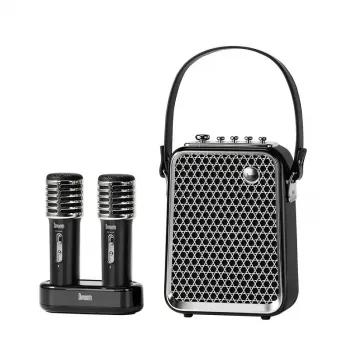
Powerful 50W Bluetooth Karaoke Speaker with Voice-Changing Mic
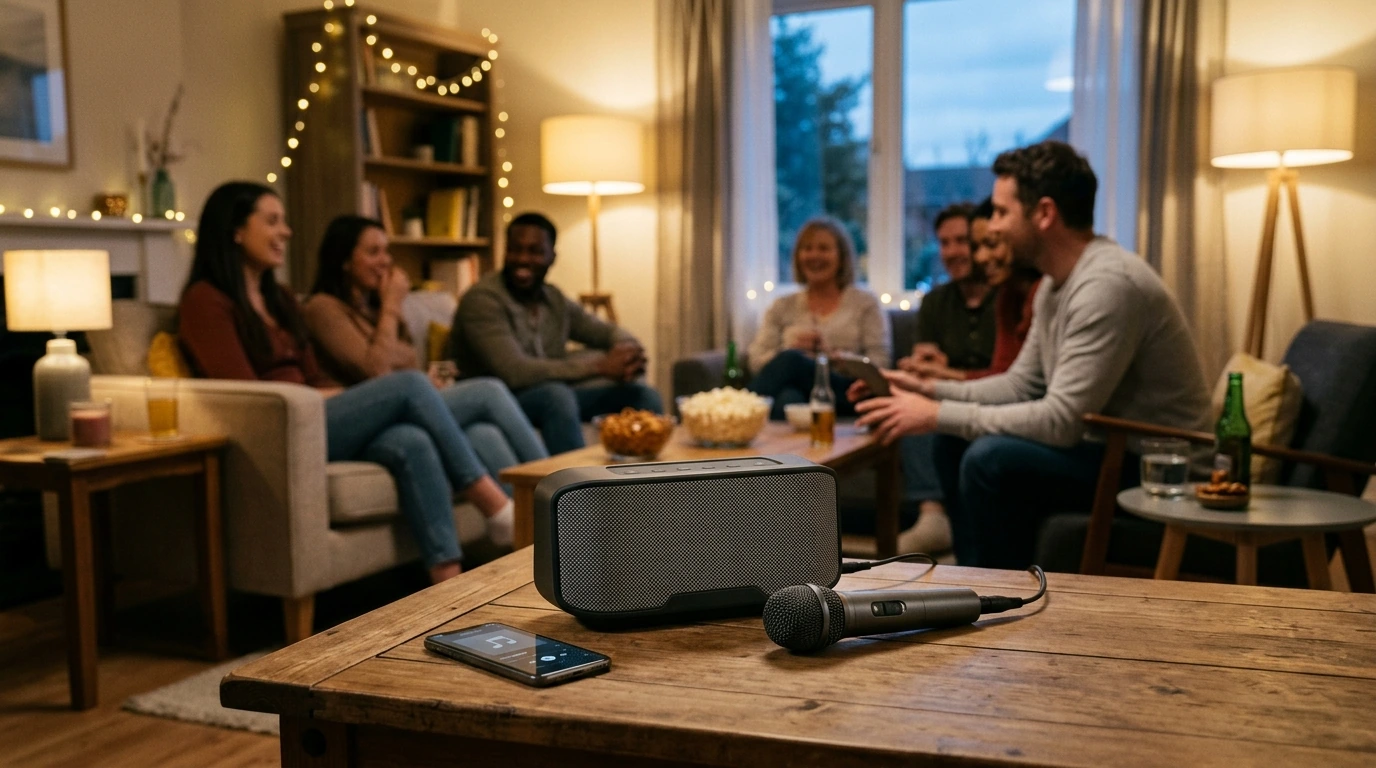
Turn any room into a mini stage with punchy 50W output, quick Bluetooth pairing, and a voice-changing mic that can flip your sound from “serious singer” to instant character voices. Built for house parties, family nights, and grab-and-go singalongs, this kind of all-in-one setup keeps the focus where it belongs: loud, clear sound and simple controls that don’t slow the fun. For more guidance, see Best Karaoke Machines From Our Tests – Consumer Reports.
What Makes This Karaoke Setup Different
The biggest advantage is how quickly it gets a group singing without needing extra audio gear or a complicated learning curve.
- 50W output designed for lively, room-filling volume during parties and group singalongs.
- Bluetooth playback for fast connection to phones, tablets, and laptops without extra adapters.
- Voice-changing mic effects for playful tones during duets, games, and kids’ performances.
- All-in-one simplicity (speaker + mic focus) to reduce the need for separate mixers or speakers.
- Perfect for “game night karaoke” where quick setup matters more than studio-style complexity.
Sound Performance for Singing (Not Just Music)
A party speaker can sound great for playlists but fall apart once people start singing. A karaoke-friendly tuning focuses on vocal clarity—so lyrics stay understandable even when the room gets loud.
- Balanced vocal presence helps voices cut through instrumentals instead of getting buried as volume rises.
- Loudness headroom supports choruses and group singing without living at max volume.
- Placement tip: elevate the speaker on a table or shelf for clearer projection and less “floor boom.”
- Room tip: if bass gets heavy, avoid corners; a wall-side position often boosts clarity without harshness.
- Neighbor-friendly move: lower bass or overall music volume before lowering mic level—comfortable vocals keep singers on pitch.
If you’re planning longer sessions, it’s also smart to keep listening levels reasonable. The CDC outlines how louder sounds can affect hearing over time, especially in small rooms where volume builds quickly: Avoid Hearing Loss: Keep Listening Levels Safe — CDC.
Voice-Changing Mic Effects: Party Tricks That Actually Get Used
Voice effects aren’t just a novelty when they’re easy to toggle and still let the words come through. They tend to get used most in games, kid-friendly performances, and “break the ice” moments when someone’s shy about singing.
- Common use cases: character voices for kids, “mystery singer” rounds, and funny call-and-response hooks.
- Best moments for effects: intros, verses, and ad-libs—then switch back for big chorus clarity.
- Keep it intelligible: if an effect reduces clarity, drop the music volume slightly and keep the mic closer to the mouth.
- Game ideas: “Guess the Voice,” “Cartoon Duet,” and a timed “Speed Round” with rotating effects.
- Consistency matters: hold the mic at a steady distance to avoid sudden volume swings.
Bluetooth and Connectivity Basics
Bluetooth is the fastest way to get karaoke tracks going—especially if you’re streaming from a phone or tablet. For a smoother experience, treat the connection like a “DJ lane”: one device controls playback, everyone else requests songs.
- Bluetooth pairing is ideal for karaoke apps and video platforms.
- Keep distance reasonable: stay within the same room when possible and avoid dense obstacles between device and speaker.
- Reduce audio delay: if lip-sync feels off on videos, try a different playback app or lower video resolution.
- Prevent mid-song takeovers: pick a single “DJ phone” to avoid accidental re-pairing.
- Before guests arrive: build a playlist and download tracks when possible for quicker transitions.
Bluetooth behavior can vary by device and environment; the official standard details how Bluetooth works at a high level here: Bluetooth Core Specification (overview) — Bluetooth SIG.
Quick Setup Checklist for the First Night
At-a-Glance Feature Guide
| Feature | What it helps with | Practical tip |
|---|---|---|
| 50W speaker output | Filling a room with sound for groups | Start at mid-volume; raise music slowly before raising mic level. |
| Bluetooth streaming | Fast playback from phones/tablets | Assign one device as the main controller to avoid interruptions. |
| Voice-changing mic effects | Party games and character voices | Use effects for verses/ad-libs; switch off for clearer choruses. |
| Portable party use | Moving between rooms or taking it to friends’ houses | Test placement to reduce echo; avoid corners if bass booms. |
| Simple controls | Less downtime between singers | Set a baseline mix and only tweak mic level per singer. |
Recommended In-Stock Picks (Quick Links)
- Powerful 50W Bluetooth Karaoke Speaker with Voice-Changing Mic — the core party setup for louder, clearer singalongs.
- Universal Car Steering Wheel Phone Mount for Safe Navigation — a handy way to keep a “DJ phone” stable and visible when you’re running lyrics or a playlist.
- Armani Exchange Men’s Sneakers — for hosts who want a clean, comfortable look that can handle a night of dancing between sets.
Care, Safety, and Getting the Best Lifespan
FAQ
How loud is a 50W karaoke speaker for a home party?
A 50W karaoke speaker is typically strong enough for a living room, basement, or garage-sized gathering. Perceived loudness depends on room acoustics and placement, so elevating the speaker and balancing mic/music levels usually makes it feel significantly louder and clearer.
Do voice-changing mic effects work while using Bluetooth music?
Yes—voice effects apply to the microphone output while your music streams over Bluetooth. Set the music volume first, then bring up the mic level, and finally choose an effect so vocals stay easy to understand.
How can feedback (squealing) be reduced during karaoke?
Keep the mic behind the speaker, increase the distance between mic and speaker, and avoid pointing the mic directly at the speaker. If squealing starts, lower mic gain before turning down the music and reposition the singer a few feet farther away.
Recommended for you

Was this article helpful?
Yes
No









Leave a comment