-
Shop
- Advanced Technologies
- AI Skills for Creators & Freelancers
- AI Client Management
- AI Ethics
- AI Mindset
- AI Tools & Prompts
- AI Writing & Content Creation
- Audio, Voice & Music
- Design & Visual Creation
- Email, Messaging & Communication
- Freelancing & Business
- Marketing, Ads & Conversion
- Productivity, Workflow & Automation
- SEO & Search Optimization
- Social Media Content & Growth
- Strategy, Planning & Analytics
- Video Creation & Editing
- AI Skills Mastery 2026 Collection
- Bathroom
- Best-Sellers
- Car Accessories
- Confidence
- Dating & Social Skills
- Digital Resources
- Easter Products
- Education & Learning
- Family & Parenting
- Fashion
- Fashion Accessories
- Furniture
- Gadgets
- Health & Beauty
- Health & Wellness
- Home & Garden
- Home Electronics
- Home Supplies
- Jewelry
- Kids & Babies
- Kitchen
- Lighting
- Patio, Lawn & Garden
- Personal Growth
- Pet Care
- Pet Supplies
- Pets
- Shoes
- Smart Home Living Guides
- Sport & Outdoors
- Stress Relief & Relaxation
- Super Deals
- TikTok Growth & Monetization Mastery
- Travel
- Travel & Adventure
- Wealth
- Wellness
Style Smart Homes With Accessories That Hide Tech Clutter
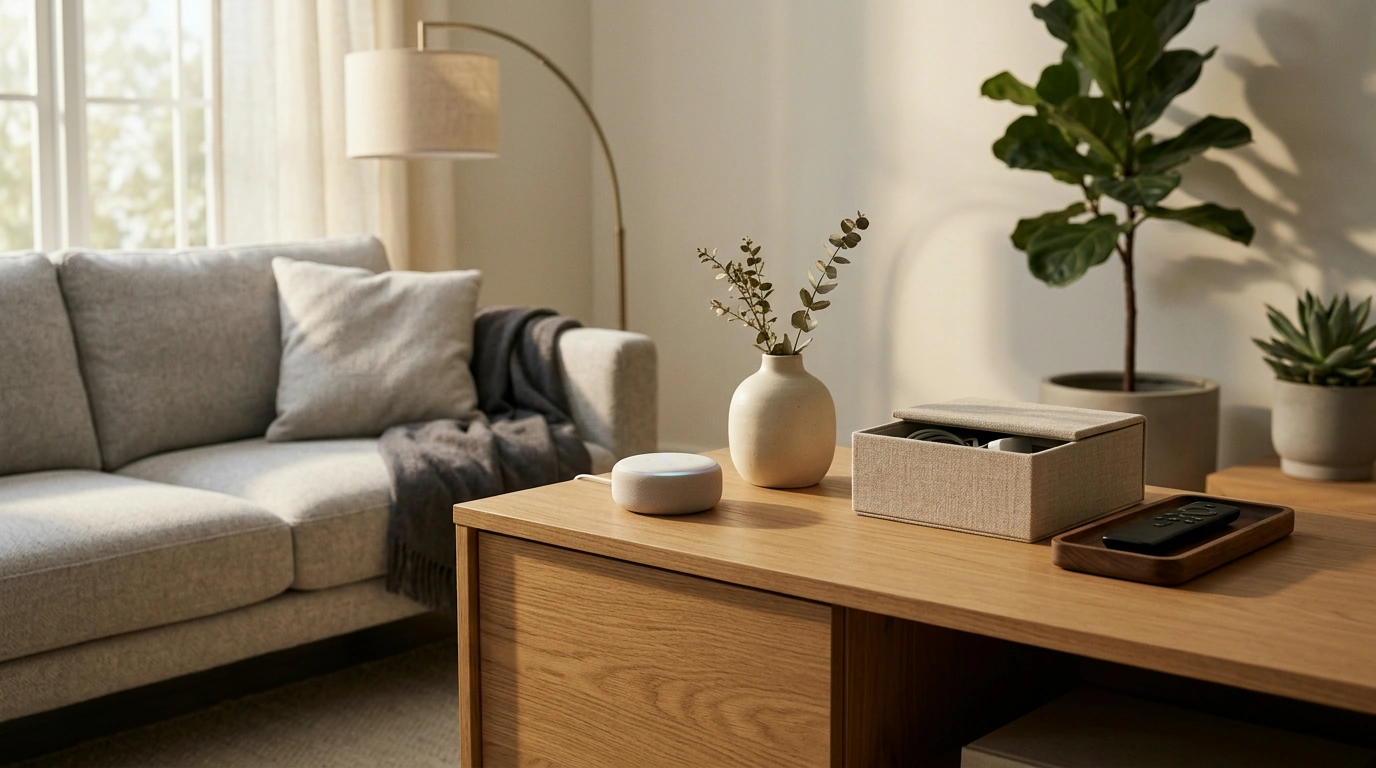
Accessory Design for Smart Home Living: Modern Styling That Works With Connected Tech
Smart homes look best when accessories do more than decorate. The right pieces guide movement, soften the feel of screens and sensors, and make connected tech read as intentional—not like it took over the room. With a few consistent rules (palette, materials, and placement), even a space filled with speakers, hubs, chargers, and smart lighting can feel calm, warm, and finished.
Start With a Smart-Ready Styling Foundation
Before adding a single vase or tray, decide what the room is for. A living room that’s primarily for movie nights should prioritize sightlines, sound, and dimmable lighting; a kitchen is about clear counters and easy-to-clean surfaces. Accessories should reinforce that purpose rather than compete with devices.
- Define the primary function first: relaxing, cooking, working, or entertaining—then style toward that outcome.
- Use a restrained color palette: 2–3 neutrals plus 1 accent color keeps smart displays and speakers from feeling like visual clutter.
- Choose one anchor material per zone: wood, stone, metal, or textile helps unify tech-heavy surfaces like media consoles and counters.
- Treat cables and hubs as part of the layout: conceal them when possible; when visible, group and align them like intentional objects.
If your smart home devices support cross-brand standards, you’ll have more freedom to place accessories where they look best (instead of where a single ecosystem forces them). Matter is a helpful reference point for compatibility planning: Connectivity Standards Alliance — Matter.
The Three-Layer Method for Maximum Impact
Connected spaces can quickly feel “busy” because tech tends to multiply: a speaker here, a charger there, a remote on every surface. The simplest fix is building each surface into three layers—structure, texture, and focus—while preserving negative space so the room can breathe.
- Layer 1 (structure): trays, bowls, risers, and low boxes that corral small items (remotes, earbuds, key fobs) and give everyday objects a home.
- Layer 2 (texture): linen, wool, rattan, ceramic, and other natural materials to balance glossy device finishes and reflective screens.
- Layer 3 (focus): one statement object per vignette—sculptural vase, art object, or lamp—so the eye lands on design, not devices.
- Negative space matters: keep at least 30–40% of a surface clear to avoid “dashboard” vibes around hubs and speakers.
| Zone | Structure layer | Texture layer | Focus layer | Smart-friendly placement tip |
|---|---|---|---|---|
| Entry console | Tray + catchall bowl | Woven runner or linen mat | Tall vase or framed print | Keep keys/wallets on a tray away from motion sensors and camera sightlines |
| Living room media unit | Low box for remotes | Textured baskets for throws | Sculptural object or small lamp | Leave airflow around streaming boxes and avoid blocking IR receivers |
| Kitchen counter | Riser for oils/spices | Ceramic canisters | Single standout cutting board or art print | Keep smart speakers clear of splashes; group chargers in one corner |
| Bedroom nightstand | Small tray for wearables | Soft textile coaster | Minimal lamp or bud vase | Place chargers behind the lamp base; avoid clutter near voice-assistant mics |
Make Tech Disappear (or Look Intentional)
Not every device needs to be hidden, but every device should look “placed.” The goal is to reduce random scattering and make the remaining tech feel integrated with the décor.
- Contain and align: place small devices on one tray, then align edges with furniture lines for a calmer, built-in look.
- Echo device finishes: accessories in matte black, brushed aluminum, soft white, or warm wood help speakers and displays blend in.
- Create one charging zone per room: a lidded box, cable sleeve, or drawer setup prevents cords from spreading across surfaces.
- Protect performance: avoid covering speaker grilles; keep Wi‑Fi nodes elevated and unobstructed for better coverage.
For ecosystem-specific setup and room control, the platform documentation can be useful when you’re choosing where “command centers” live: Apple Support — Set up and use the Home app.
Lighting Accessories That Work With Automation
Smart bulbs and automated scenes can make a room feel luxurious—or harsh—depending on what your accessories do with the light. Materials, reflectivity, and placement matter.
If you’re comparing bulb types or planning a lighting refresh, this primer is a practical reference: U.S. Department of Energy — LED Lighting.
Room-by-Room Styling Moves for Connected Spaces
Entry
Living Room
Kitchen
Bedroom
Quick Checklist: A Finished Look Without Clutter
A Step-by-Step Guide for Styling With Confidence
For a complete, room-by-room approach—including layouts, accessory formulas, and examples tailored to connected homes—use Accessory Design for Smart Home Living (digital eBook). Apply one space at a time (entry → living area → kitchen → bedroom) to build consistency without overwhelm.
To support a streamlined daily routine beyond the home, a few practical add-ons can help keep your “carry-in/carry-out” items tidy: Universal Car Steering Wheel Phone Mount for Safe Navigation for hands-free directions, and Triple-Sided Ultra-Fine Soft Bristle Toothbrush for Enhanced Oral Health for an easy, organized bathroom reset.
FAQ
How many accessories should be on a shelf or console in a smart home?
Aim for 1–2 small vignettes per surface, leaving plenty of negative space. A good baseline is one container (tray or bowl) plus one focal object, then only a few supporting items as needed.
What colors and materials work best with smart speakers and displays?
Matte neutrals, warm woods, ceramics, and linen blend well with most device finishes and reduce glare. Echo your device color (black, white, or aluminum) in a few accessories, then add texture to keep the space from feeling clinical.
How can charging stations look stylish instead of messy?
Designate one charging zone per room and contain it with a tray or lidded box plus simple cable management. Placing chargers behind a lamp base or inside a ventilated drawer keeps surfaces clean while staying convenient.
Recommended for you
Was this article helpful?
Yes
No









Leave a comment