-
Shop
- Advanced Technologies
- AI Skills for Creators & Freelancers
- AI Client Management
- AI Ethics
- AI Mindset
- AI Tools & Prompts
- AI Writing & Content Creation
- Audio, Voice & Music
- Design & Visual Creation
- Email, Messaging & Communication
- Freelancing & Business
- Marketing, Ads & Conversion
- Productivity, Workflow & Automation
- SEO & Search Optimization
- Social Media Content & Growth
- Strategy, Planning & Analytics
- Video Creation & Editing
- AI Skills Mastery 2026 Collection
- Bathroom
- Best-Sellers
- Car Accessories
- Confidence
- Dating & Social Skills
- Digital Resources
- Easter Products
- Education & Learning
- Family & Parenting
- Fashion
- Fashion Accessories
- Furniture
- Gadgets
- Health & Beauty
- Health & Wellness
- Home & Garden
- Home Electronics
- Home Supplies
- Jewelry
- Kids & Babies
- Kitchen
- Lighting
- Patio, Lawn & Garden
- Personal Growth
- Pet Care
- Pet Supplies
- Pets
- Shoes
- Smart Home Living Guides
- Sport & Outdoors
- Stress Relief & Relaxation
- Super Deals
- TikTok Growth & Monetization Mastery
- Travel
- Travel & Adventure
- Wealth
- Wellness
Smart Lighting for Decluttering: Zone & Scene Checklist
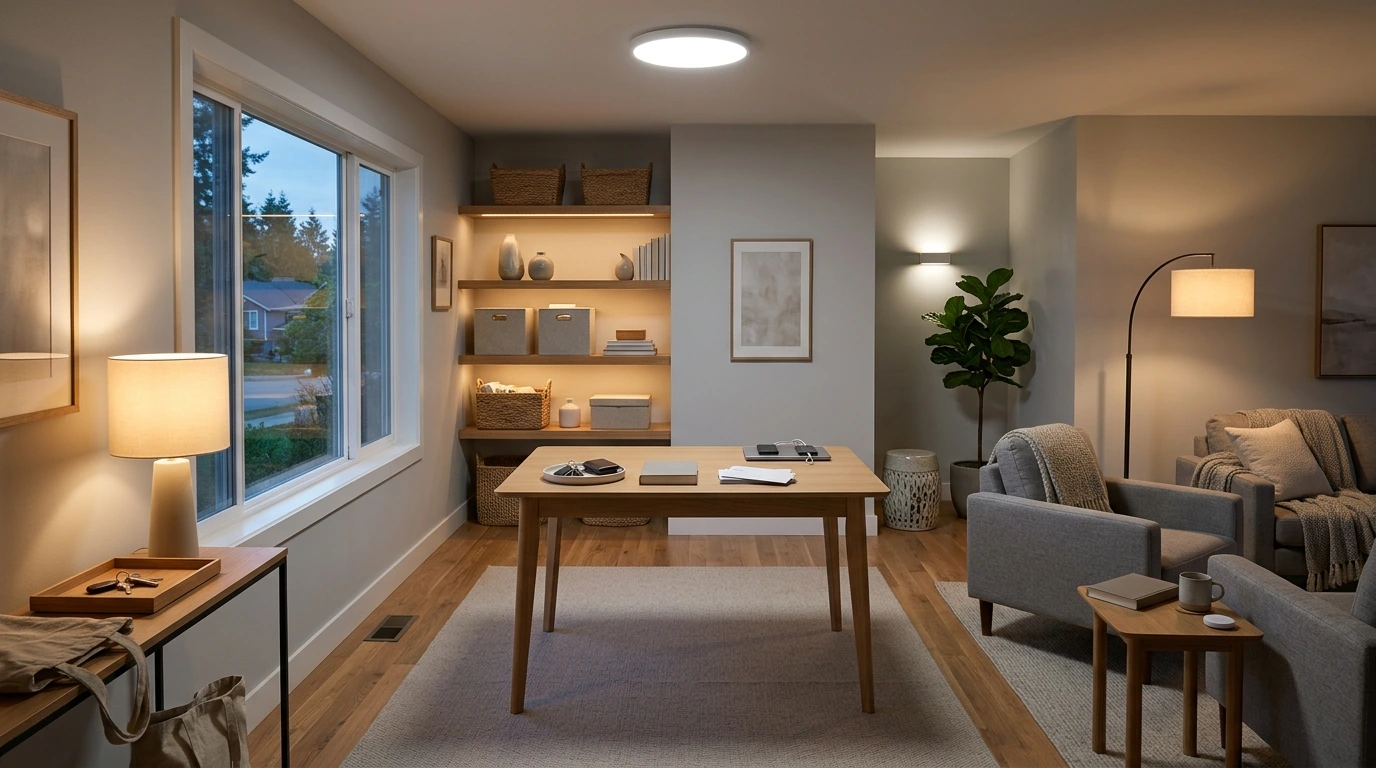
How Smart Lights Elevate Room Organization: A Practical Checklist to Declutter Faster and Optimize Your Space
Smart lighting can do more than brighten a room—it can create visual zones, reduce decision fatigue, and turn tidying into a repeatable routine. With a few dependable scenes, schedules, and subtle cues, the room becomes easier to navigate, quicker to reset, and less likely to drift back into clutter. The goal isn’t a complicated “smart home.” It’s a room that quietly nudges the next right action.
Why lighting affects organization more than most systems
Organization tends to fail when the room feels unclear: dark corners hide piles, shelves look “full enough,” and mess blends into shadow. Lighting changes what the eye notices first—especially at the edges of a room where clutter accumulates.
- Even, shadow-reducing light reveals what needs action (and prevents “invisible” piles).
- Brighter, cooler light supports sorting and cleaning; warmer light helps you reset the space and keep it calm once it’s organized.
- Consistent lighting reduces “where did I put that?” moments by making storage areas and labels easier to see.
- A few repeatable lighting cues can replace complex rules, keeping routines frictionless instead of fussy.
Energy-wise, LEDs make this practical to run daily without guilt. The U.S. Department of Energy highlights LEDs as a highly efficient option for home lighting (DOE — LED Lighting).
Set up a simple lighting map (zones before storage bins)
Before buying more bins, define where life actually happens. Most rooms only need 3–5 functional zones. When each zone has a “default light,” people stop dropping items wherever it’s easiest.
- Identify 3–5 zones: entry/drop zone, work/sort zone, storage zone, relaxation zone, and a “high-mess” hotspot.
- Assign each zone a primary light source (ceiling, lamp, under-shelf strip) so every task has a dedicated “on switch.”
- Eliminate dark corners (clutter magnets) by adding a small lamp or strip aimed at shelves and the floor edge.
- Choose one control method for consistency—wall switch + app, voice, or a single button—so the system actually gets used.
Quick zone-to-lighting checklist
| Zone | What it supports | Lighting goal | Small upgrade that helps |
|---|---|---|---|
| Entry / drop zone | Keys, bags, mail triage | High visibility, no shadows | Motion-triggered lamp or bulb near hooks/shelf |
| Sort / reset surface | Declutter sessions and folding | Bright, neutral/cool light | Desk lamp or overhead bulb with a task scene |
| Storage wall / closet | Putting items back correctly | Even light on labels and bins | LED strip or puck lights inside shelves/closet |
| Relaxation area | Keeping the room from feeling like a project | Warm, low glare | Evening scene that turns on automatically |
| Hotspot corner | Where clutter accumulates | Make mess obvious early | Scheduled “spotlight” at a set time daily |
The practical checklist: smart-light scenes that make tidying automatic
Scenes work best when they’re named like actions and feel the same every time. Think of them as “light habits.”
- “Reset the Room” scene: medium brightness, warm-white; set it to turn on at a consistent time to cue a 10-minute pickup.
- “Sort & Decide” scene: bright, cooler/neutral; use when making keep/donate/trash decisions to reduce visual fatigue.
- “Find It Fast” scene: maximum brightness; assign to a shortcut for locating items under furniture or in deep shelves.
- “Drop Zone Only” scene: illuminate only the entry area to guide where items should land (and where they shouldn’t).
- Color cues (use sparingly): one color for “put away now,” another for “needs attention,” and keep everything else white for daily life.
- Triggers: tie scenes to time, motion, or door sensors so the cue happens without remembering.
Declutter faster with timed light prompts (no willpower required)
Light can function like a gentle timer—starting energy high, then signaling a natural stop so the routine stays short and repeatable.
- Use a 2-phase timer: 10–15 minutes of bright task light for action, then an automatic shift to softer warm light as a stop cue.
- Schedule a daily hotspot prompt: lights brighten in the messy corner at the same time each day (often after dinner or before bed).
- Add transition lighting: after work hours, shift to warmer light and fewer fixtures to reduce new mess creation.
- For shared homes: use a neutral cue (gentle brightness increase) rather than a bold color that can feel like an alarm.
If evening light is part of your routine, keep it warm and lower-intensity to support wind-down. The NIH notes that blue light exposure can interfere with sleep and circadian timing (NIH — Blue light and sleep).
Make storage easier to use with visibility upgrades
Room-by-room recipes (minimal changes, big impact)
Common mistakes that keep smart lighting from helping
Quick-start plan (30 minutes to a more organized room)
Helpful picks (in stock)
- How Smart Lights Elevate Room Organization: A Practical Checklist for How Smart Lights Improve Room Organization, Declutter Faster & Optimize Your Space
- Universal Car Steering Wheel Phone Mount for Safe Navigation (useful for keeping your phone visible during routines so you’re not searching for it while running scenes/timers)
FAQ
What smart light settings are best for decluttering and organizing?
Use bright, neutral-to-cool white for sorting, cleaning, and decision-making, then switch to warm, medium-to-low brightness for reset and maintenance. Keep the number of scenes small so the routine stays automatic.
Do color-changing bulbs help with organization or is white light enough?
White light covers most organizing needs because it supports visibility and accurate color perception. Color can help as an occasional cue (like a cleanup prompt), but too many color signals quickly become background noise.
How can smart lights help keep a room organized long-term?
Automations prompt short daily resets, zone lighting guides where items belong, and storage lighting removes friction when putting things away. Over time, the room stays “easy to restore,” which prevents clutter from building up again.
Recommended for you
Was this article helpful?
Yes
No









Leave a comment