-
Shop
- Advanced Technologies
- AI Skills for Creators & Freelancers
- AI Client Management
- AI Ethics
- AI Mindset
- AI Tools & Prompts
- AI Writing & Content Creation
- Audio, Voice & Music
- Design & Visual Creation
- Email, Messaging & Communication
- Freelancing & Business
- Marketing, Ads & Conversion
- Productivity, Workflow & Automation
- SEO & Search Optimization
- Social Media Content & Growth
- Strategy, Planning & Analytics
- Video Creation & Editing
- AI Skills Mastery 2026 Collection
- Bathroom
- Best-Sellers
- Car Accessories
- Confidence
- Dating & Social Skills
- Digital Resources
- Easter Products
- Education & Learning
- Family & Parenting
- Fashion
- Fashion Accessories
- Furniture
- Gadgets
- Health & Beauty
- Health & Wellness
- Home & Garden
- Home Electronics
- Home Supplies
- Jewelry
- Kids & Babies
- Kitchen
- Lighting
- Patio, Lawn & Garden
- Personal Growth
- Pet Care
- Pet Supplies
- Pets
- Shoes
- Smart Home Living Guides
- Sport & Outdoors
- Stress Relief & Relaxation
- Super Deals
- TikTok Growth & Monetization Mastery
- Travel
- Travel & Adventure
- Wealth
- Wellness
HD Camera Ear Cleaner: Safer At-Home Earwax Removal
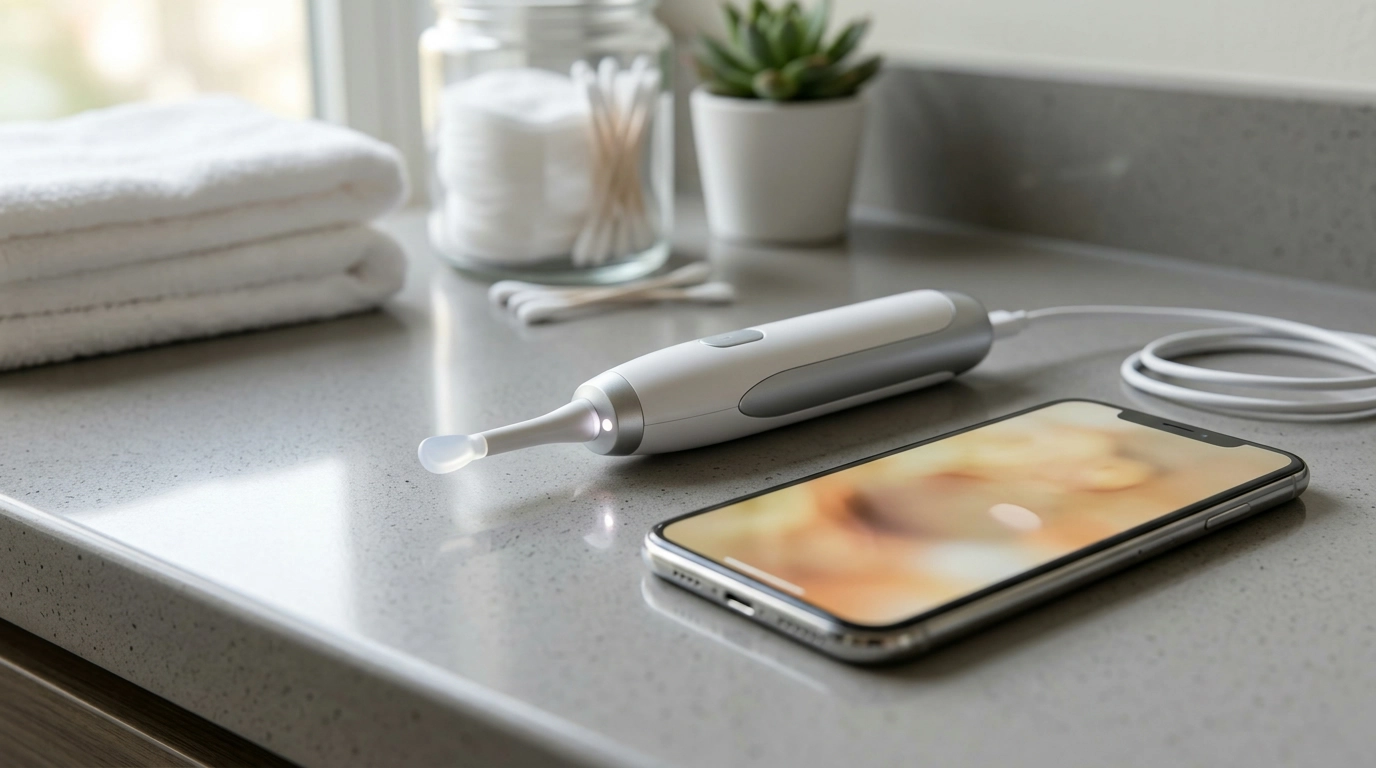
HD Visual Ear Cleaner with Camera: Safer, More Confident Earwax Removal at Home
An HD visual ear cleaner with camera pairs a slim ear-pick tool with a tiny camera and light so the ear canal can be viewed on a phone while removing wax. This approach can make routine earwax management feel more controlled because you’re not guessing where the wax is. Below is a practical guide to how it works, what the live view is like, everyday safe-use habits, and who should avoid at-home earwax removal.
What It Is and How the Camera Changes Ear Cleaning
A camera ear cleaner combines a small cleaning tip, a built-in LED light, and a miniature camera that streams a live view to your smartphone. Instead of “blind” probing, you can see the outer ear canal walls and the location of visible wax, which can reduce accidental scraping.
This kind of tool is commonly used for routine wax checks and removing small, reachable wax at the outer portion of the canal. It’s not intended to diagnose infections or replace a clinical ear exam. For medical guidance on symptoms of blockage and when to seek care, see Mayo Clinic’s overview of earwax blockage.
Best results usually come from slow, shallow movements and frequent pauses to re-orient the view. The camera can make distances look closer than they are, so a gentle approach matters more than speed.
Key Features to Look For Before Buying
Not all camera ear cleaners feel the same in hand or perform the same on-screen. Prioritize comfort, steadiness, and a clear view over gimmicks.
- Image clarity and lighting: A bright, evenly lit view often matters more than extreme zoom.
- Stable connection: A responsive live feed helps reduce over-correcting during movement.
- Comfort and safety of tips: Soft, rounded tips and multiple sizes help minimize irritation.
- Battery and charging: Enough runtime for several short sessions, plus convenient charging.
- Ease of cleaning: Tips that can be rinsed/wiped and materials that tolerate gentle disinfection.
- Family use: Replaceable tips and easy user switching support better hygiene.
| Feature | Why it matters | What to prioritize |
|---|---|---|
| LED lighting | The ear canal is dark; lighting affects clarity more than resolution alone | Even, glare-reduced illumination |
| Tip material/shape | Hard edges can irritate the canal or push wax deeper | Soft, rounded, replaceable tips |
| App/live view | Lag or disconnects increase the risk of sudden movements | Stable feed and simple pairing |
| Cleaning routine | Wax and skin oils build up on tips quickly | Easy-to-remove tips and wipeable surfaces |
| Ergonomics | A secure grip improves control and steadiness | Non-slip handle, balanced weight |
In-stock picks to support a cleaner routine
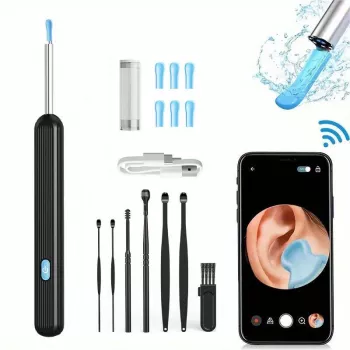
If you want a simple setup for at-home wax checks and gentle removal, the HD Visual Ear Cleaner with Camera is an easy starting point. For a broader daily hygiene refresh, pair it with the Triple-Sided Ultra-Fine Soft Bristle Toothbrush for Enhanced Oral Health to keep your overall self-care routine consistent.
How to Use It Safely (Step-by-Step Habits)
Camera visibility can improve confidence, but safety still depends on technique and restraint. These habits help reduce irritation and accidental injury.
- Start clean: Wash hands, attach a clean, dry tip, and confirm the camera lens is clear.
- Set up for steadiness: Sit in a well-lit area, support your elbows on a counter or table, and keep movements slow.
- Stay shallow: Insert only shallowly and keep the tool near the outer portion of the canal rather than going deep.
- Lift outward, don’t pack inward: Use the live view to approach wax from the side and lift it outward. Avoid pushing wax deeper.
- Keep sessions short: Limit each session to a few minutes. Stop immediately if there is pain, dizziness, bleeding, or a sudden hearing change.
- Clean afterward: Remove and clean the tip; wipe the device body per manufacturer guidance and let parts fully dry.
Who Should Not Use At-Home Earwax Tools
Some ears are better handled by a clinician, even if a camera tool seems straightforward.
- Anyone with ear pain, drainage, fever, or suspected infection should seek medical evaluation.
- History of perforated eardrum, ear surgery, or ear tubes unless a clinician has specifically approved at-home cleaning.
- Frequent impacted wax, significant hearing loss, or diabetes/immunocompromised status (higher risk of complications).
- Children who cannot stay still; sudden movement increases the chance of injury.
- If wax is hard and impacted, consider softening drops first or professional removal rather than repeated probing.
For conservative, clinician-aligned ear care guidance, the American Academy of Otolaryngology–Head and Neck Surgery (ENT Health) earwax page is a helpful reference.
Camera Ear Cleaner vs. Drops, Irrigation, and Professional Removal
For a straightforward overview of when self-care is reasonable versus when to seek help, the NHS guidance on earwax build-up is a useful point of reference.
Care, Hygiene, and Long-Term Comfort
FAQ
Is it safe to remove earwax with a camera ear cleaner?
It can be safer than blind tools when used gently and only in the outer part of the ear canal. Stop right away if you feel pain, dizziness, bleeding, or a sudden hearing change, and avoid at-home tools if you’ve had ear surgery, ear tubes, a perforated eardrum, or infection symptoms.
Why does the camera view look blurry or foggy?
Most often the lens has wax/oil on it, there’s condensation, the battery is low, or the LED light is creating glare at close range. Wipe the lens and tip, let everything dry fully, then pause and slightly adjust distance to bring the view back into focus.
What should be done if wax seems pushed deeper or hearing feels worse?
Stop immediately and don’t keep probing. If symptoms persist or you notice pressure, ringing, pain, or a sudden change in hearing, seek professional removal rather than trying to “dig it out.”
Recommended for you
Was this article helpful?
Yes
No









Leave a comment