-
Shop
- Advanced Technologies
- AI Skills for Creators & Freelancers
- AI Client Management
- AI Ethics
- AI Mindset
- AI Tools & Prompts
- AI Writing & Content Creation
- Audio, Voice & Music
- Design & Visual Creation
- Email, Messaging & Communication
- Freelancing & Business
- Marketing, Ads & Conversion
- Productivity, Workflow & Automation
- SEO & Search Optimization
- Social Media Content & Growth
- Strategy, Planning & Analytics
- Video Creation & Editing
- AI Skills Mastery 2026 Collection
- Bathroom
- Best-Sellers
- Car Accessories
- Confidence
- Dating & Social Skills
- Digital Resources
- Easter Products
- Education & Learning
- Family & Parenting
- Fashion
- Fashion Accessories
- Furniture
- Gadgets
- Health & Beauty
- Health & Wellness
- Home & Garden
- Home Electronics
- Home Supplies
- Jewelry
- Kids & Babies
- Kitchen
- Lighting
- Patio, Lawn & Garden
- Personal Growth
- Pet Care
- Pet Supplies
- Pets
- Shoes
- Smart Home Living Guides
- Sport & Outdoors
- Stress Relief & Relaxation
- Super Deals
- TikTok Growth & Monetization Mastery
- Travel
- Travel & Adventure
- Wealth
- Wellness
Turn Blog Posts Into AI Videos: Fast Script-to-Scene Workflow
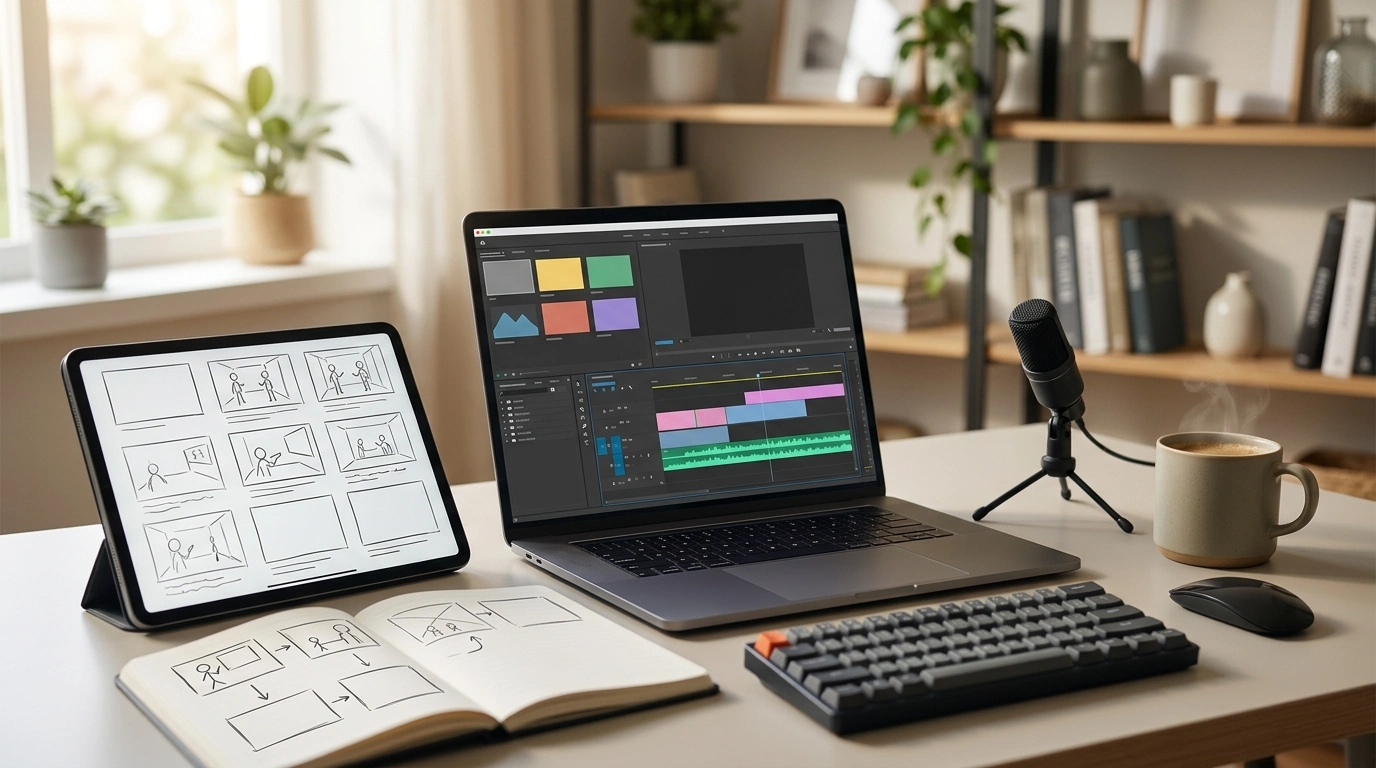
Turn Blog Posts Into Videos With AI (Without Starting Over)
Written content already contains the hardest part: the ideas. With today’s AI video tools, a solid blog post can become a short, shareable video in hours—not weeks—without rebuilding everything from scratch. The key is translating “readable” into “watchable” with a clear message per scene, visuals that support each claim, and quality checks that keep the final cut accurate and on-brand.
If you want a repeatable system (instead of improvising every time), the Turn Blog Posts Into Videos With AI – Ultimate eBook for AI for Generating Video From a Blog Post is built for turning existing posts into video-ready scripts, storyboards, and exports across multiple platforms.
What changes when a blog post becomes a video
A blog is scanned; a video is watched. That simple difference affects structure, pacing, and what “clarity” really means.
- One clear message per segment: viewers don’t re-read; they decide in seconds whether to keep watching.
- Paragraphs become performance: long explanations need short narration lines plus selective on-screen text.
- Headings become scenes: subheads translate well into titles, while steps and examples should become visuals (screenshots, diagrams, quick demos).
- Retention is the goal: hook early, reduce filler, and keep pacing consistent so the viewer never wonders “why am I still watching?”
A simple workflow from post to publish
Most successful blog-to-video conversions follow the same repeatable path: choose the right post, outline it tightly, build scene-by-scene, then polish for platform formats.
- Pick the right post: tutorials, checklists, definitions, and comparisons convert best—especially posts with one main takeaway.
- Extract a tight outline: hook, 3–6 key points, quick recap, and a single call to action.
- Turn each point into one scene: write one narration line, one on-screen text line, and a suggested visual.
- Generate visuals thoughtfully: use stock, b-roll, AI images, or product UI captures, but ensure each scene matches the claim being made.
- Apply branding consistently: colors, fonts, lower-thirds, logo placement, and title style should feel like one family across every video.
- Finalize audio: choose AI voice or recorded voice; add background music low enough that speech stays crisp.
- Export for each platform: 16:9, 9:16, and 1:1; generate captions for accessibility and silent viewing.
Blog-to-video conversion checklist
| Stage | What to produce | Quality check |
|---|---|---|
| Prep | Short outline and target length | One main idea per scene |
| Script | Narration + on-screen text | No jargon; sentences under ~15–20 words |
| Storyboard | Scene-by-scene visual plan | Visuals support the claim, not random filler |
| Build | Video draft with branding | Consistent fonts, spacing, and transitions |
| Polish | Captions, music, and pacing | Captions match spoken words; music not overpowering |
| Publish | Platform-specific exports | Correct aspect ratio and safe margins for UI overlays |
How to shape the script for AI video tools
AI video builders work best when the script is “scene-native.” That means every line is easy to say out loud and easy to visualize.
Visuals, pacing, and captions that feel professional
- Choose concrete visuals: product UI, charts, real photos, and simple animations outperform abstract imagery.
- Keep scenes short: many scenes land best at 2–6 seconds, except when demonstrating a step-by-step action.
- Use on-screen text as reinforcement: don’t duplicate narration word-for-word; highlight the key phrase or number only.
- Add captions for silent viewing: ensure high contrast and readable sizes. Accessibility guidance like WCAG is a solid reference point for readability and contrast expectations.
- Double-check claims: verify stats, quotes, and product specifics. If you’re publishing to YouTube, their overview of adding subtitles & captions helps set expectations for how captions are handled.
Video performance also reflects broader platform behavior: short, clear messaging and consistent publishing are common themes across marketing benchmarks (see HubSpot’s State of Marketing Report).
Common pitfalls and quick fixes
Using the Ultimate eBook to speed up production
Moving fast is easier when every post follows the same “translation” steps. The Ultimate eBook is useful as a repeatable system: script structure, scene planning, narration vs. on-screen text, and visual selection—plus checks that catch accuracy, pacing, and branding issues before they become time-consuming revisions.
For creators who record additional clips between AI scenes, a stable setup matters. A simple accessory like the Universal Car Steering Wheel Phone Mount for Safe Navigation can also function as a quick phone stabilizer in a pinch for certain angles (always prioritize safe, parked setups for filming). And if you’re shooting b-roll on the move, comfortable everyday gear like Armani Exchange Men’s Sneakers can be part of a practical creator kit when you’re capturing walk-and-talk clips or product shots around town.
Publishing plan: repurpose one post into multiple videos
FAQ
What types of blog posts convert best into AI-generated videos?
Tutorials, checklists, comparisons, and “how it works” posts tend to convert best because they have clear steps and a single focus. Longer posts often perform better when split into a short series instead of one long video.
How long should a blog-to-video script be for short-form platforms?
A 30–60 second video is a common target, which is roughly 75–150 spoken words depending on pacing. Keep one idea per scene and trim extra examples into a longer cut if needed.
Do AI-generated videos need captions?
Captions are strongly recommended because many viewers watch with sound off and they improve accessibility. Keep them accurate, high-contrast, and large enough to read comfortably on a phone.
Recommended for you



Was this article helpful?
Yes
No









Leave a comment