-
Shop
- Advanced Technologies
- AI Skills for Creators & Freelancers
- AI Client Management
- AI Ethics
- AI Mindset
- AI Tools & Prompts
- AI Writing & Content Creation
- Audio, Voice & Music
- Design & Visual Creation
- Email, Messaging & Communication
- Freelancing & Business
- Marketing, Ads & Conversion
- Productivity, Workflow & Automation
- SEO & Search Optimization
- Social Media Content & Growth
- Strategy, Planning & Analytics
- Video Creation & Editing
- AI Skills Mastery 2026 Collection
- Bathroom
- Best-Sellers
- Car Accessories
- Confidence
- Dating & Social Skills
- Digital Resources
- Easter Products
- Education & Learning
- Family & Parenting
- Fashion
- Fashion Accessories
- Furniture
- Gadgets
- Health & Beauty
- Health & Wellness
- Home & Garden
- Home Electronics
- Home Supplies
- Jewelry
- Kids & Babies
- Kitchen
- Lighting
- Patio, Lawn & Garden
- Personal Growth
- Pet Care
- Pet Supplies
- Pets
- Shoes
- Smart Home Living Guides
- Sport & Outdoors
- Stress Relief & Relaxation
- Super Deals
- TikTok Growth & Monetization Mastery
- Travel
- Travel & Adventure
- Wealth
- Wellness
Button Maker Machine Kit Guide: Make Pins & Badges
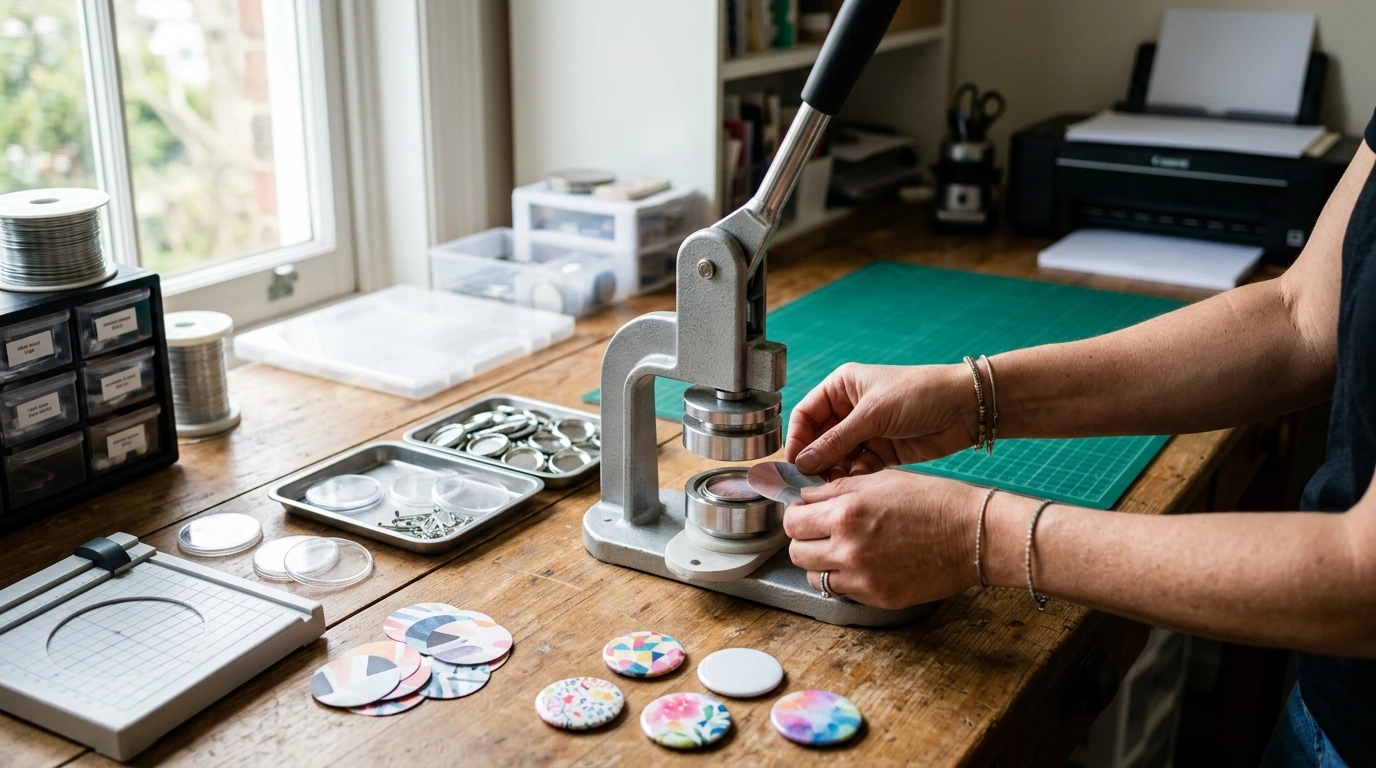
Button Maker Machine Kit: Create Pins, Badges, and Custom Buttons at Home
A button maker machine kit turns printed designs into wearable pins, campaign buttons, name badges, and small branded giveaways. Once the press is set up and the cutting/pressing steps become routine, it’s easy to produce consistent results for classroom projects, clubs, craft fairs, and small-batch orders—without needing a large workspace.
What a Button Maker Machine Kit Typically Includes
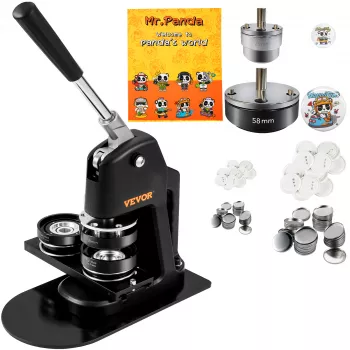
Most kits are built around a manual lever press that crimps multiple parts into a finished button. While exact contents vary by brand and size, a complete starter bundle usually includes:
- Press machine (lever-style) that crimps button parts together using interchangeable dies
- Die set(s) sized for a specific button diameter (each size generally needs its own die)
- Button parts: metal shells, clear mylar covers, and pin backs (some kits also support magnets or keychains with the right components)
- Circle cutter or cutting template for consistent artwork sizing
- Starter supplies and basic instructions for first-time setup
If you’re shopping for a first press, the Button Maker Machine Kit is designed for repeatable, at-home production with the matching components needed to get started.
How the Button-Making Process Works (End-to-End)
Button making is a simple sequence, but each step affects how clean the final crimp looks. A steady workflow helps you avoid wasted parts and keeps your output consistent:
- Design and print: Use high-resolution artwork and run a test print to confirm color and sizing.
- Cut circles: Cut printed artwork and mylar to the diameter recommended for your die.
- Load the first station: Place the metal shell, artwork, then mylar in the correct order.
- Press step one: Pull the lever to form the front and wrap the edges.
- Load the back: Place the pin back (or chosen backing) into the second station.
- Press step two: Crimp the front and back together; confirm the pin rotates freely and sits flat.
- Quality check: Look for an even edge crimp, centered artwork, and smooth mylar with no wrinkles.
Quick workflow checklist
| Stage | Common pitfall | Fix |
|---|---|---|
| Cutting | Artwork too small/large | Use the kit’s cutting guide; reprint with the correct template. |
| Loading | Wrinkled mylar | Lay mylar flat; avoid static; keep fingers off the center. |
| Pressing | Button won’t release | Ensure stations fully rotate into position; don’t short-stroke the lever. |
| Finished button | Off-center design | Center artwork in the shell before pressing; use alignment marks on prints. |
Choosing the Right Button Size and Backing
Before printing anything, decide on two fundamentals: size and backing. Those choices shape your design layout and determine what hardware you’ll need on hand.
- Size: Small buttons are great for giveaways, multi-button sets, and “collect them all” themes. Larger buttons are easier to read across a room, making them better for names, roles, or short announcements.
- Pin backs: The classic option for jackets, backpacks, tote bags, and lanyards.
- Magnet backs: A good choice when you don’t want pin holes in clothing, but they may need stronger magnet hardware for thicker fabrics.
- Keychain/bottle-opener styles: Often feel more like merch than a giveaway and can support higher-priced bundles.
Design around the size: bold icons and short phrases read better on small buttons, while names, QR codes, and longer text are easier on larger formats.
Materials and Print Tips for Cleaner Results
Sharper prints and consistent cutting do more for button quality than most upgrades. A few practical choices can reduce wrinkles, mis-centering, and uneven crimps:
For background context on what pin-back buttons are and how they’re commonly used, see Wikipedia’s overview of badges.
Setup, Maintenance, and Safe Use
For general tool safety practices (including pinch-point awareness), reference OSHA’s hand and power tools guidance.
Ideas for Clubs, Schools, Events, and Small-Batch Sales
If you sell at pop-ups, comfort and logistics matter too. For longer days on your feet, consider supportive footwear like Armani Exchange Men’s Sneakers, and for driving between venues, a simple accessory like the Universal Car Steering Wheel Phone Mount for Safe Navigation can help keep directions in view.
Button Maker Machine Kit: What to Expect from the Product
A good kit is built for repeatable button production: a lever press, a correctly matched die, and compatible button components. The cleanest results come from consistent cutting, correct part order, and a full press stroke each cycle. For current pricing, availability, and product photos, visit the Button Maker Machine Kit product page.
For anyone assembling an event “ready bag,” small basics can also help—like the Triple-Sided Ultra-Fine Soft Bristle Toothbrush for Enhanced Oral Health for quick refreshes between setup and teardown.
FAQ
Why are my buttons getting stuck in the machine?
Most jams come from the station not rotating fully into position, an incomplete lever stroke, or debris in the die. Fully rotate the plate, press with a complete stroke, and clear paper dust from the die surfaces.
Do I need special paper for making buttons?
Standard printer paper often works well as long as you cut accurately and print at good quality. Very thick cardstock can be harder to crimp cleanly, so test a few paper weights and stick with what wraps consistently.
Can one machine make multiple button sizes?
Only if compatible die sets are available for that press model. Each size generally requires its own die set and the correctly sized button parts.
Recommended for you

Was this article helpful?
Yes
No









Leave a comment