-
Shop
- Advanced Technologies
- AI Skills for Creators & Freelancers
- AI Client Management
- AI Ethics
- AI Mindset
- AI Tools & Prompts
- AI Writing & Content Creation
- Audio, Voice & Music
- Design & Visual Creation
- Email, Messaging & Communication
- Freelancing & Business
- Marketing, Ads & Conversion
- Productivity, Workflow & Automation
- SEO & Search Optimization
- Social Media Content & Growth
- Strategy, Planning & Analytics
- Video Creation & Editing
- AI Skills Mastery 2026 Collection
- Bathroom
- Best-Sellers
- Car Accessories
- Confidence
- Dating & Social Skills
- Digital Resources
- Easter Products
- Education & Learning
- Family & Parenting
- Fashion
- Fashion Accessories
- Furniture
- Gadgets
- Health & Beauty
- Health & Wellness
- Home & Garden
- Home Electronics
- Home Supplies
- Jewelry
- Kids & Babies
- Kitchen
- Lighting
- Patio, Lawn & Garden
- Personal Growth
- Pet Care
- Pet Supplies
- Pets
- Shoes
- Smart Home Living Guides
- Sport & Outdoors
- Stress Relief & Relaxation
- Super Deals
- TikTok Growth & Monetization Mastery
- Travel
- Travel & Adventure
- Wealth
- Wellness
AI Declutter eBook: Fast, Calm Home & Digital Organization
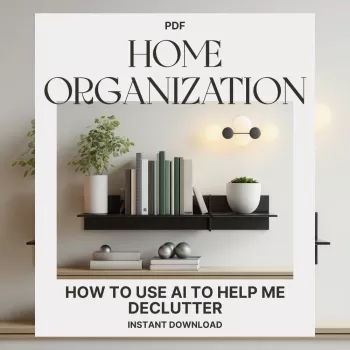
AI Declutter: Smarter, Faster, Stress-Free Home Organization (Digital eBook)
Decluttering usually stalls at the same pain points: decision fatigue, not knowing where to start, and getting overwhelmed mid-project. This digital eBook focuses on using AI as a practical organizing partner—helping plan sessions, sort items with clear rules, create simple storage systems, and keep a home organized with less stress and fewer do-overs.
For many households, clutter isn’t a motivation problem—it’s a systems problem. When the “right” decision feels unclear, the easiest choice is to postpone. AI-assisted decluttering is about replacing endless mental loops with repeatable rules, short tasks, and simple maintenance that fits real life. For helpful context on how stress can build up and impact daily functioning, see the American Psychological Association’s resources on stress. For professional organizing standards and best practices, visit the National Association of Productivity & Organizing Professionals (NAPO).
What “AI-assisted decluttering” looks like in real life
- Turns vague goals (“organize the kitchen”) into small, timed tasks with a clear finish line.
- Creates decision rules for keep/donate/trash to reduce second-guessing.
- Generates category lists and “homes” for items so clutter stops migrating.
- Builds realistic schedules around available time, energy, and family routines.
- Helps write labels, checklists, and maintenance routines that prevent rebound clutter.
Instead of approaching a room as one big project, AI helps break it into “micro-wins” you can finish before energy runs out. The goal isn’t to outsource decisions—it’s to make decisions consistent, faster, and easier to repeat next month.
Who this eBook is built for
- Busy households that need a repeatable system instead of a one-time deep clean.
- People who feel stuck because every item triggers a memory or a “what if” scenario.
- Small-space living where storage must be intentional and multi-purpose.
- Anyone who starts organizing strong but loses momentum after the first area.
- Digital minimalists who want less visual noise from photos, files, and inboxes—without deleting something important.
What’s inside the AI Declutter eBook
- A step-by-step framework for planning declutter sessions by room, category, or problem zone.
- Simple item-sorting logic to reduce decision fatigue (including “maybe” handling and timeboxing).
- Ready-to-use templates for inventories, donation staging, and “reset routines.”
- Guidance for organizing papers, mail, and “miscellaneous” piles without creating new piles.
- A practical approach to digital clutter: files, photos, downloads, and backups.
If the hardest part is getting started, the framework makes the first step obvious. If the hardest part is finishing, the maintenance routines keep the home from sliding back into chaos.
A quick-start workflow for using AI during a declutter session
- Define the zone: choose one surface, one drawer, or one category; set a timer (15–45 minutes).
- Set the decision rules: what stays, what leaves, and what needs a designated home; keep rules visible while sorting.
- Sort into four bins: Keep (with a home), Relocate (to a defined zone), Donate/Sell, Trash/Recycling.
- Ask for a “home plan”: storage locations based on frequency of use and proximity (daily items closest).
- End with a 3-minute reset: label, return tools, stage donations by the exit, and write the next micro-task.
AI-assisted decluttering vs. traditional decluttering
| Step | Traditional approach | AI-assisted approach |
|---|---|---|
| Choosing where to start | Pick a room and hope momentum follows | Generate a prioritized list of zones by impact and effort |
| Decision-making | Rely on willpower and memory | Use consistent rules and scripted decisions for repeatability |
| Organizing items | Buy bins first, then try to fit | Assign item “homes” first, then choose containers that match |
| Maintaining results | Occasional big cleanups | Short reset routines and scheduled checkpoints |
Room-by-room examples that reduce overwhelm
- Kitchen: focus on one category at a time (mugs, food storage, spices), then define “prime real estate” shelves for daily items.
- Bedroom: create a simple clothing boundary (drawer space or hanger count) and a quick laundry flow that prevents pileups.
- Living room: set container limits for remotes, cables, toys, and reading material; use a nightly 5-minute reset.
- Bathroom: consolidate duplicates, set a one-in/one-out rule for skincare, and keep backups in one labeled bin.
- Entryway: design a landing zone (keys, bags, shoes) with clear capacity limits to stop the “drop zone” effect.
These examples aren’t about perfection. They’re about deciding what “enough space” looks like for the items that support your day, then using boundaries so clutter can’t quietly expand.
Digital clutter: a calmer home also lives on screens
Keeping it stress-free: boundaries, timeboxing, and maintenance
Privacy and practicality when using AI
How to get the most value from the digital download
Featured picks (in stock)
- AI Declutter: Smarter, Faster, Stress-Free Home Organization | eBook on How to Use AI to Help Me Declutter | Digital Download Guide for Effortless Home Organization (Digital Download)
- Triple-Sided Ultra-Fine Soft Bristle Toothbrush for Enhanced Oral Health (a simple bathroom reset upgrade when you’re streamlining duplicates)
- Universal Car Steering Wheel Phone Mount for Safe Navigation (helps keep a consistent “home” for your phone during errands and drop-offs)
FAQ
Does this eBook require a specific AI tool or subscription?
No. The methods focus on practical workflows, decision rules, and templates that work with common AI assistants or even manual checklists, so tool choice is flexible.
Is this more about cleaning or organizing?
It’s centered on decluttering and organization, plus simple “reset” habits to keep spaces from rebounding. Cleaning routines aren’t the main focus.
Can it help with digital clutter like photos and files?
Yes. It includes a practical approach for files, photos, downloads, email, and backups—using simple folder structures, naming conventions, and lightweight maintenance routines.
Recommended for you

Was this article helpful?
Yes
No









Leave a comment