-
Shop
- Advanced Technologies
- AI Skills for Creators & Freelancers
- AI Client Management
- AI Ethics
- AI Mindset
- AI Tools & Prompts
- AI Writing & Content Creation
- Audio, Voice & Music
- Design & Visual Creation
- Email, Messaging & Communication
- Freelancing & Business
- Marketing, Ads & Conversion
- Productivity, Workflow & Automation
- SEO & Search Optimization
- Social Media Content & Growth
- Strategy, Planning & Analytics
- Video Creation & Editing
- AI Skills Mastery 2026 Collection
- Bathroom
- Best-Sellers
- Car Accessories
- Confidence
- Dating & Social Skills
- Digital Resources
- Easter Products
- Education & Learning
- Family & Parenting
- Fashion
- Fashion Accessories
- Furniture
- Gadgets
- Health & Beauty
- Health & Wellness
- Home & Garden
- Home Electronics
- Home Supplies
- Jewelry
- Kids & Babies
- Kitchen
- Lighting
- Patio, Lawn & Garden
- Personal Growth
- Pet Care
- Pet Supplies
- Pets
- Shoes
- Smart Home Living Guides
- Sport & Outdoors
- Stress Relief & Relaxation
- Super Deals
- TikTok Growth & Monetization Mastery
- Travel
- Travel & Adventure
- Wealth
- Wellness
Midjourney Prompts for Luxury Interior Room Renders
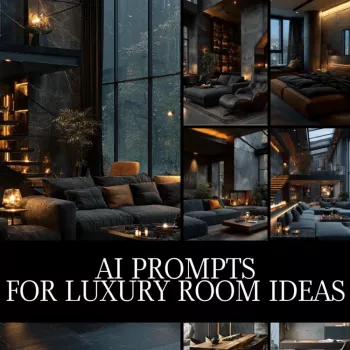
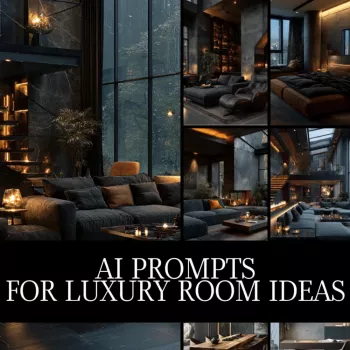
How do I write Midjourney text instructions for luxury interior design room renders?
Start by describing the room type and the brand-level mood you want, then stack details in a consistent order: style, materials, key furniture, lighting, camera, and finishing touches. Luxury results come from specificity—named materials, realistic lighting cues, and a clear composition—rather than long lists of random décor.
1) Lock the concept and style
Choose one dominant style lane (quiet luxury, modern Italian, Parisian apartment, Japandi, art deco revival) and state it plainly. Add the room purpose and an anchor feature: “primary suite with fireplace,” “formal living room with grand piano,” or “dining room with sculptural chandelier.”
2) Specify materials and craftsmanship
Use premium, believable surfaces: Calacatta marble, rift-sawn white oak, brushed brass, Venetian plaster, bouclé upholstery, walnut veneer, hand-tufted wool rug. Add build quality cues like “custom millwork,” “integrated cove lighting,” or “flush baseboards.”
3) Direct the lighting like a photographer
Luxury interiors read best with motivated light: “soft morning window light,” “golden hour glow,” or “moody evening with warm practical lamps.” Mention color temperature (warm 2700K), gentle shadow falloff, and reflective highlights on stone or metal.
4) Control camera, composition, and realism
Pick a viewpoint: “wide-angle corner shot,” “eye-level 35mm,” or “symmetrical front elevation.” Add “photorealistic,” “high-end interior photography,” and keep clutter minimal. If unwanted elements appear, explicitly exclude them (for example: no fisheye distortion, no extra chairs, no text or watermarks).
5) Use parameters intentionally
For room scenes, try wider ratios like –ar 16:9 or –ar 3:2. Adjust stylization to taste (lower for catalog realism, higher for editorial flair), and use quality settings when you need finer material detail. For a deeper walkthrough and ready-to-adapt examples, visit this luxury room concept guide.
FAQ
What aspect ratios work best for interior room images?
For full-room coverage, 16:9 and 3:2 usually feel natural and spacious. For social-first vertical layouts, use 2:3 or 9:16 to emphasize height and layered lighting.
Recommended for you

Was this article helpful?
Yes
No









Leave a comment